# Finding Device Core Parameter Lists
There are four ways to access the parameter list for your devices.
Configuration Page Inspector
When editing a parameter from the Inspector on the Configuration page, you can access the parameter list.
[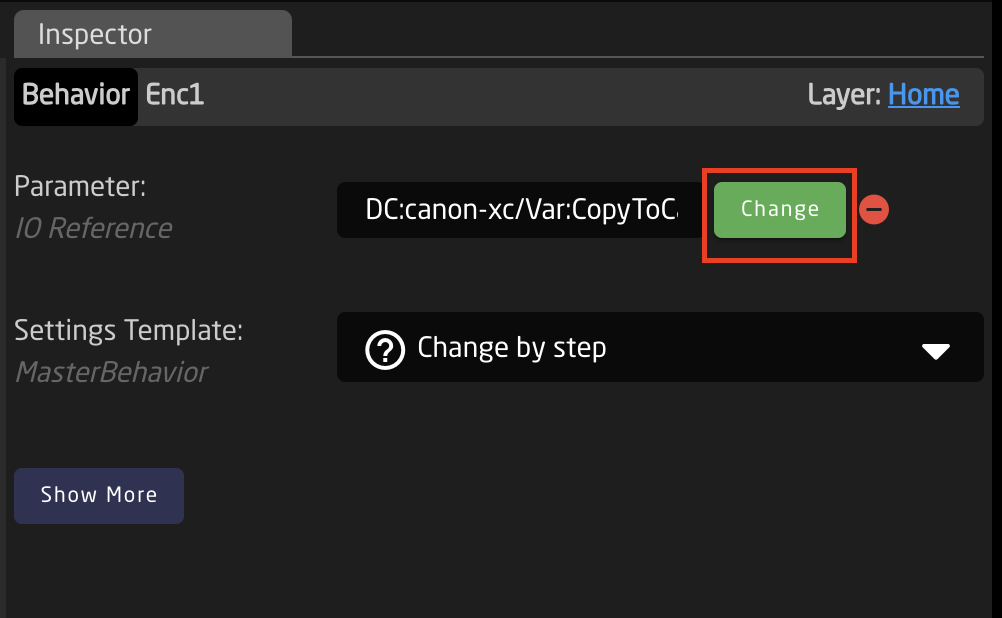](https://wiki.skaarhoj.com/uploads/images/gallery/2023-08/insp-1.png)
If there was not a parameter previously selected for that HWC, then you will need to select which device will be controlled.
If you select to control a single device, when clicking 'Parameter List' you will be directed to the parameter list for that specific model of device.
[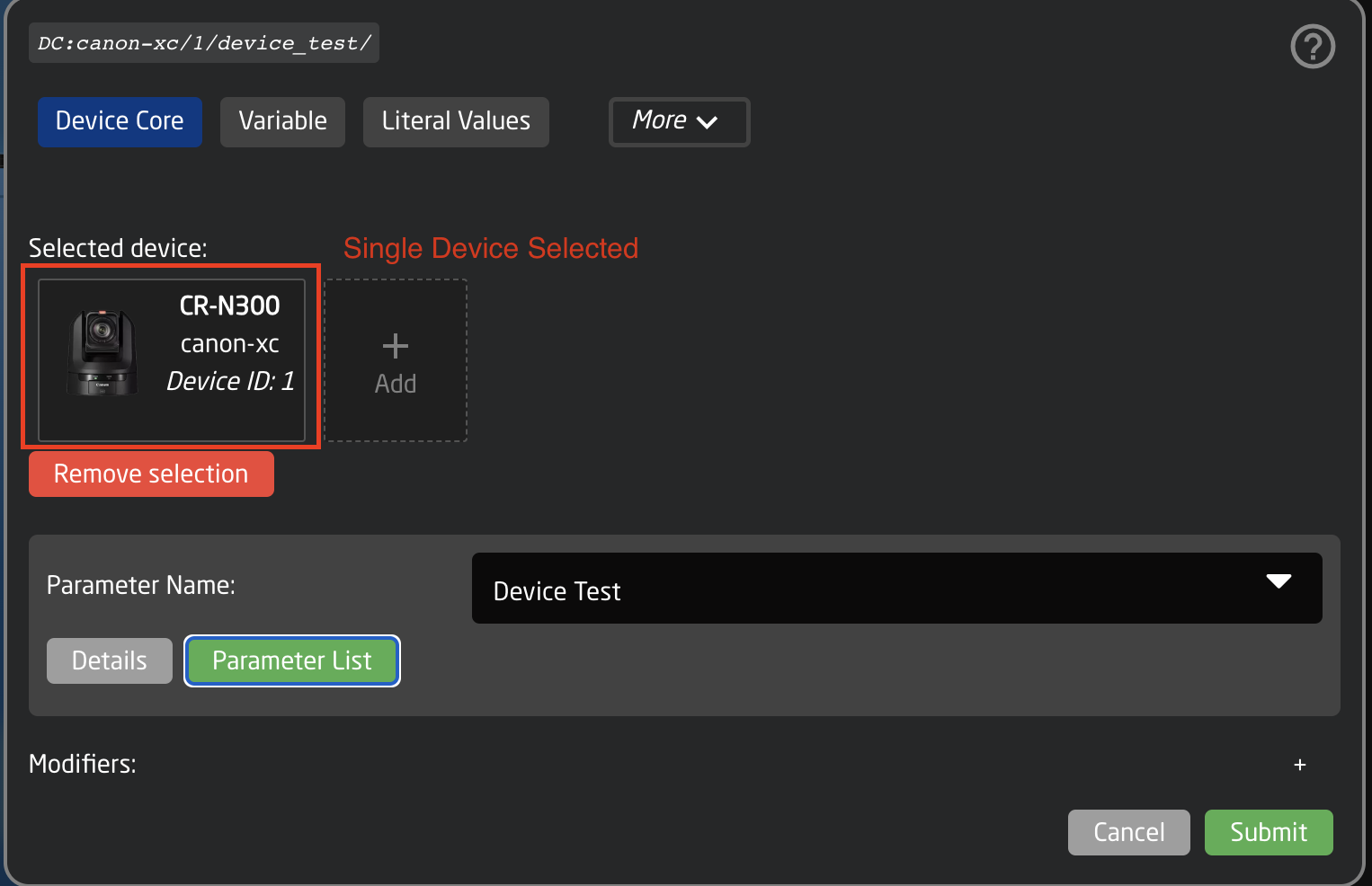](https://wiki.skaarhoj.com/uploads/images/gallery/2023-08/insp-dev.png)
If you select to control the device core (prefered when control multiple of same type of device), when clicking 'Parameter List' you will be directed to the parameter list for the the entire device core and all models within.
Device Details
Click the name of the device you want to know about, to access this popop.
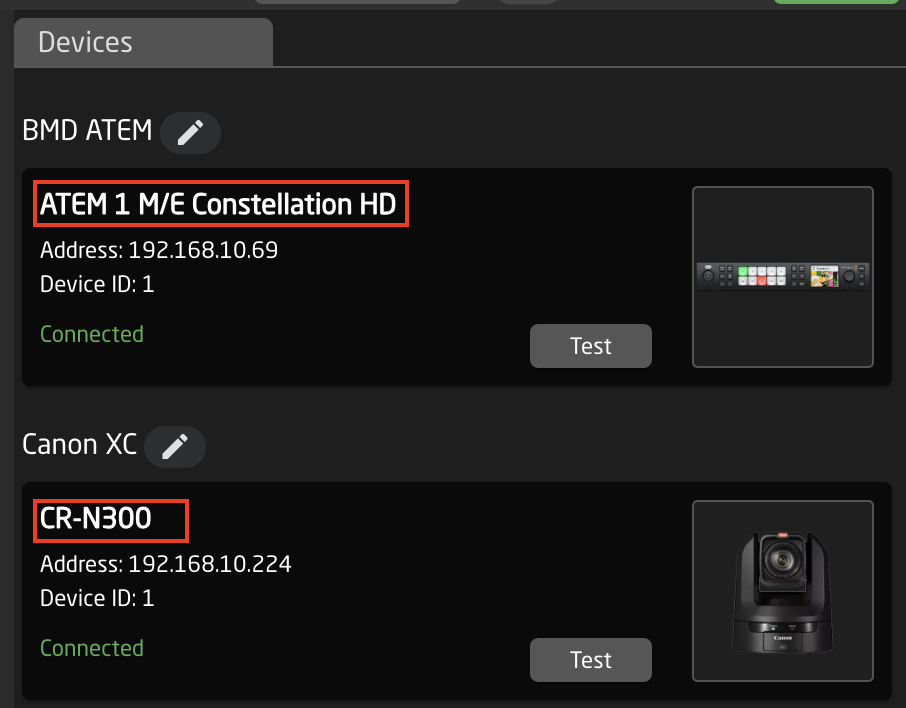
Then click on 'Parameter List'
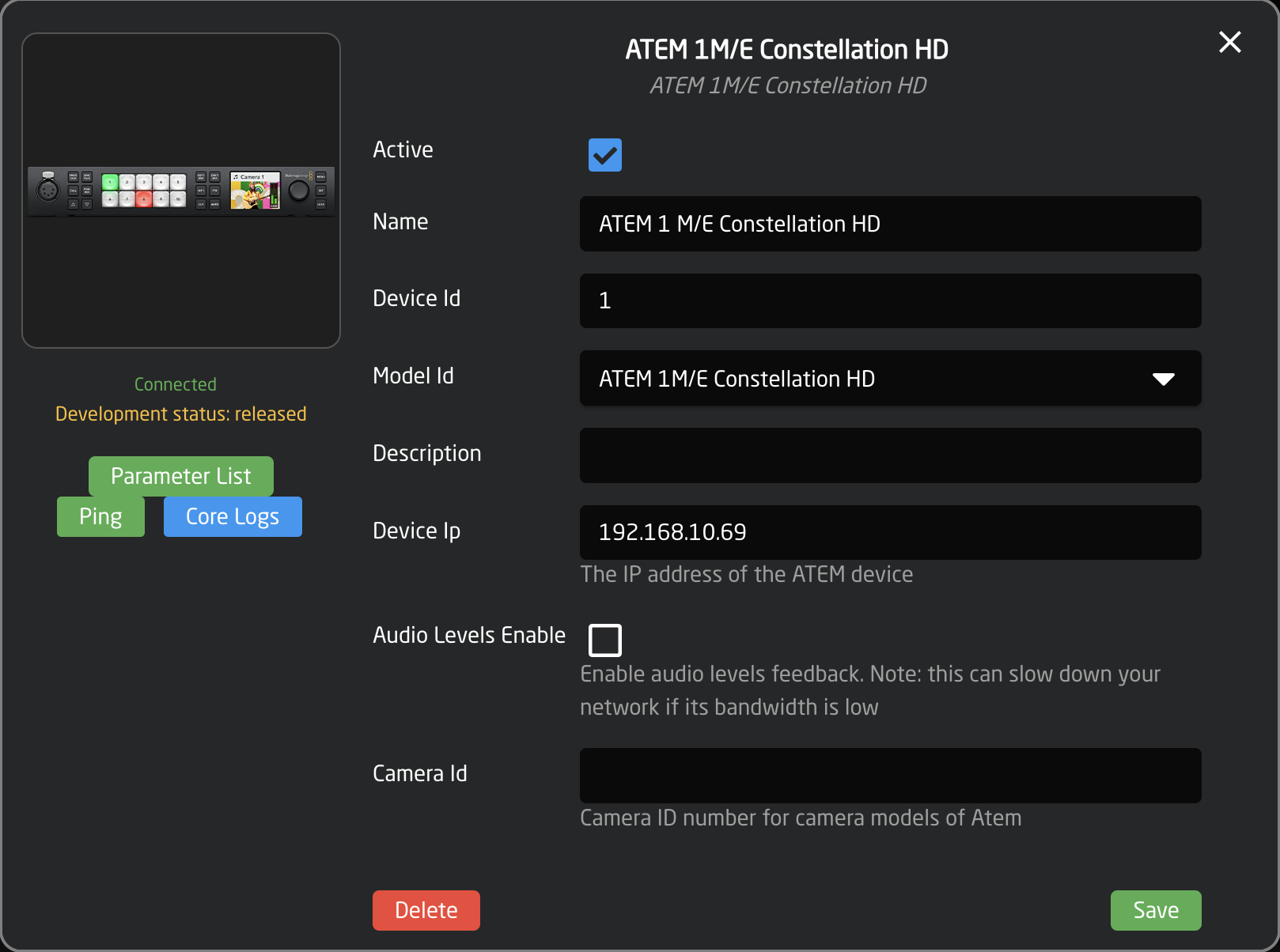
This will then open the web link to the full parameter list only for that specific model device.
Device Core Details
Click the title above a device you want to know about, to access this popop.
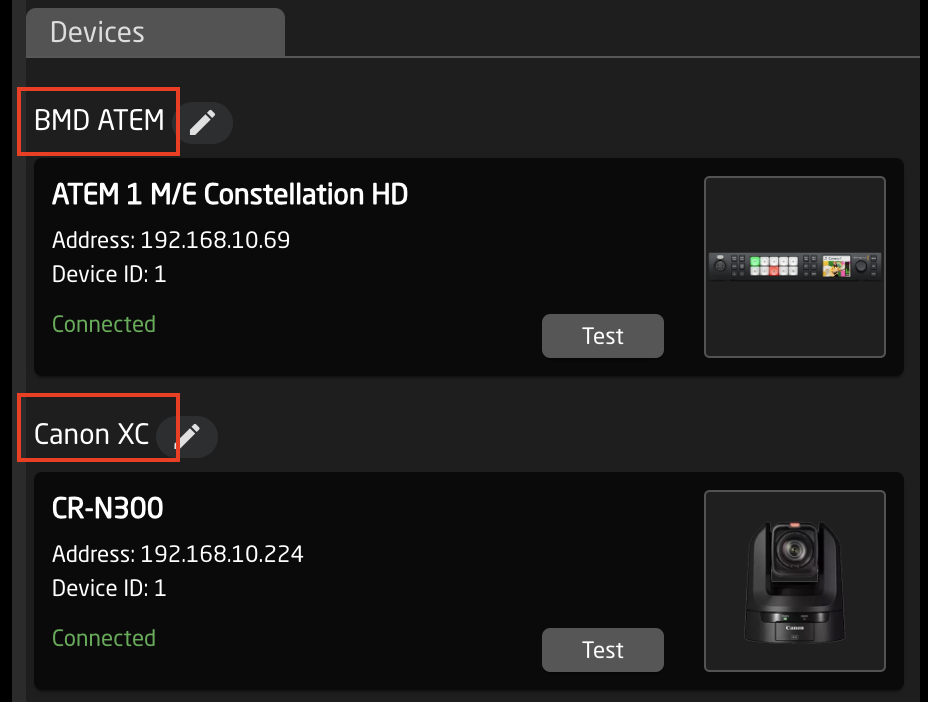
Then click on 'Parameter List'
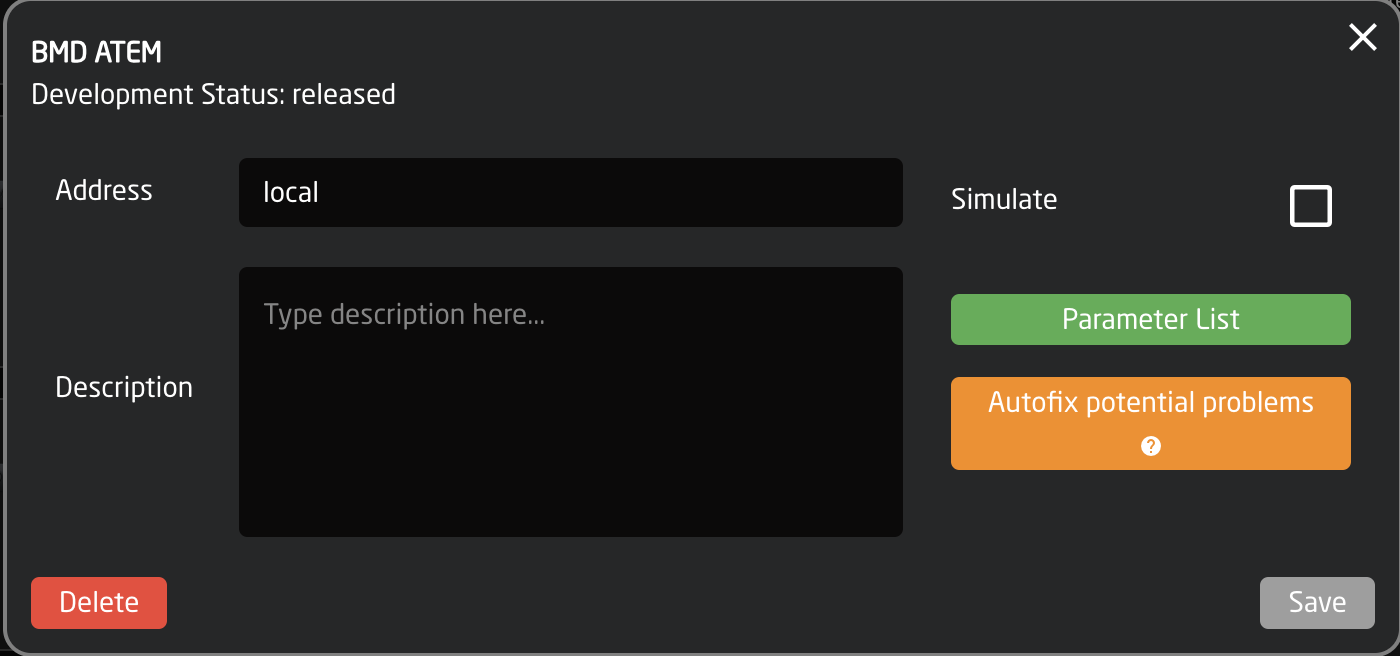
This will then open the web link to the full parameter list for that device core and all supported models within.
Devices.Skaarhoj.com
All devices we integrate with can be searched on our web page [devices.skaarhoj.com ](https://devices.skaarhoj.com/)
Clicking on 'Supported Parameter List' from the main page will then open the web link to the full parameter list only for that specific model device. [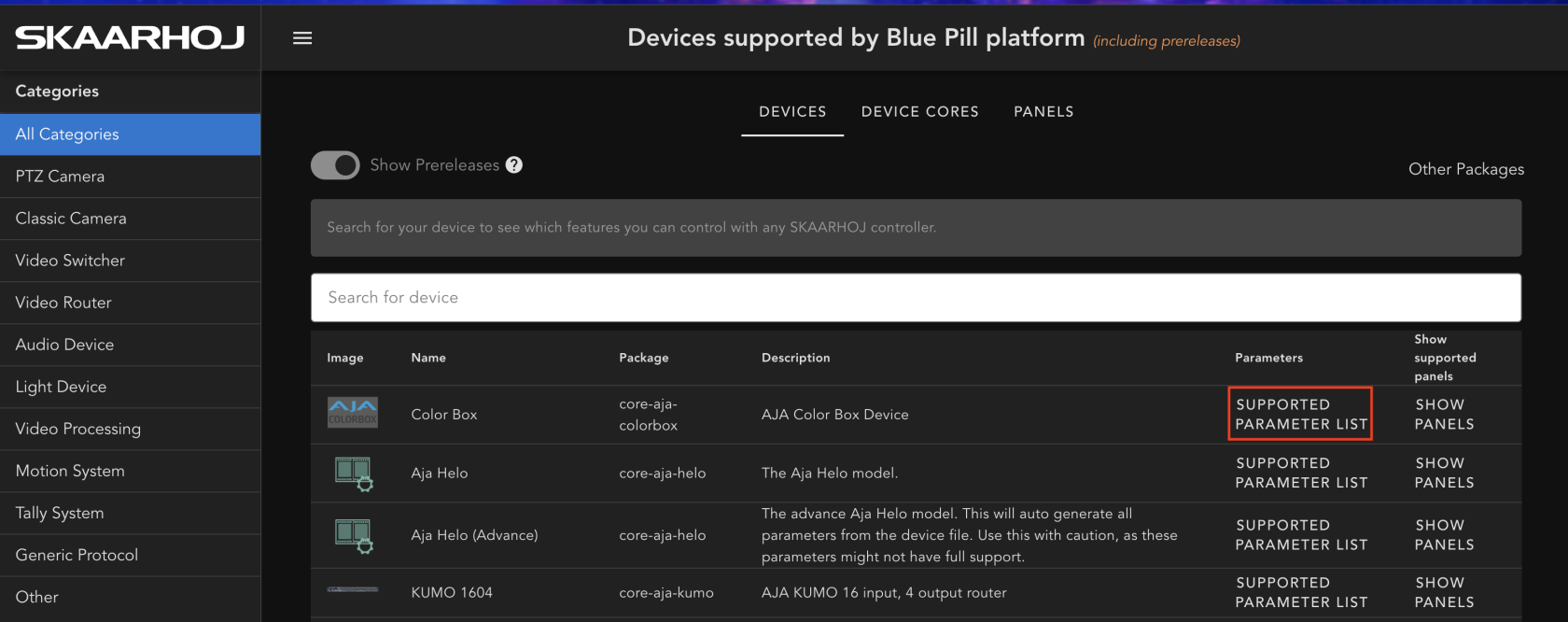](https://wiki.skaarhoj.com/uploads/images/gallery/2023-08/fjNind-param.png)
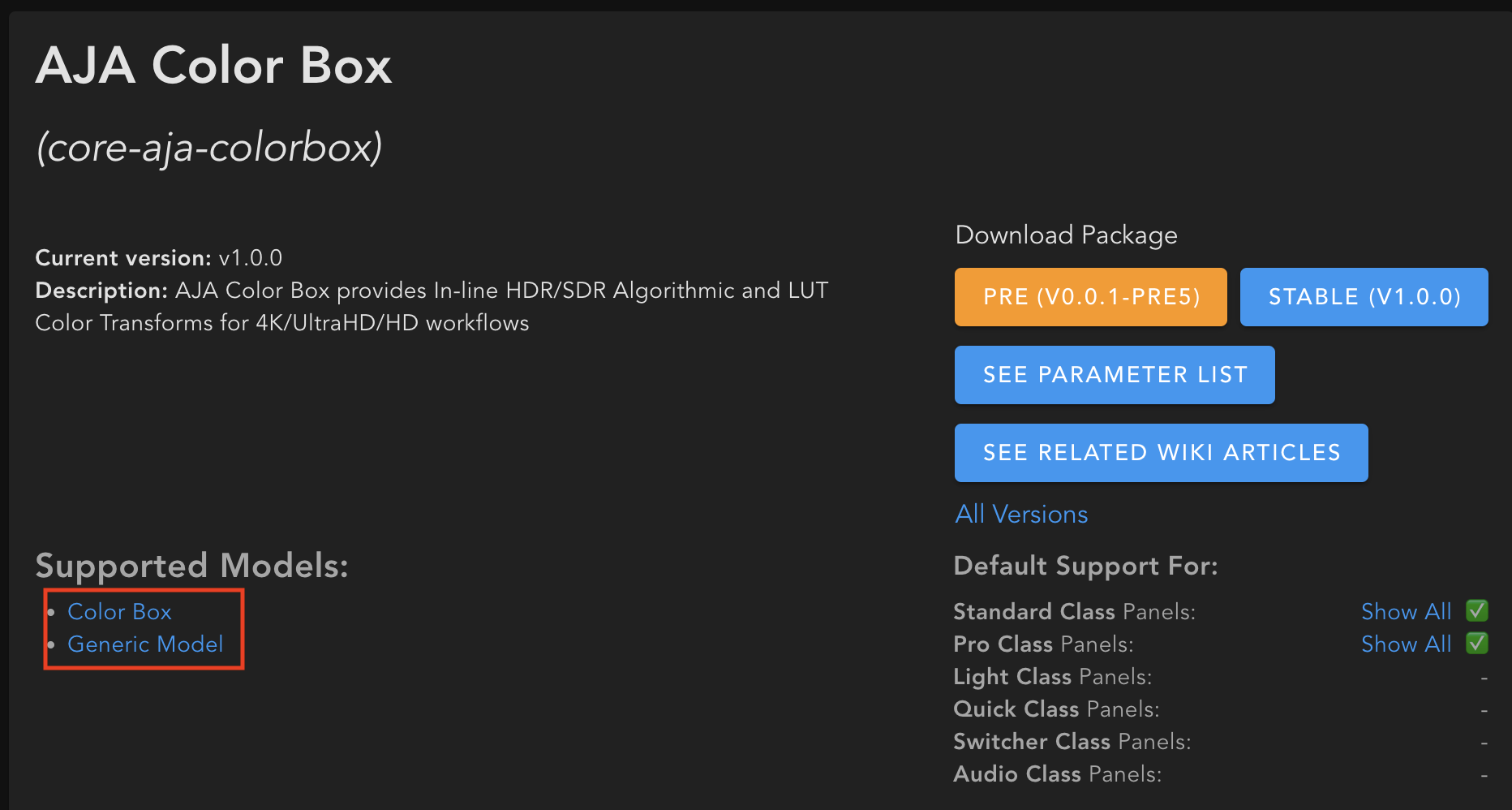
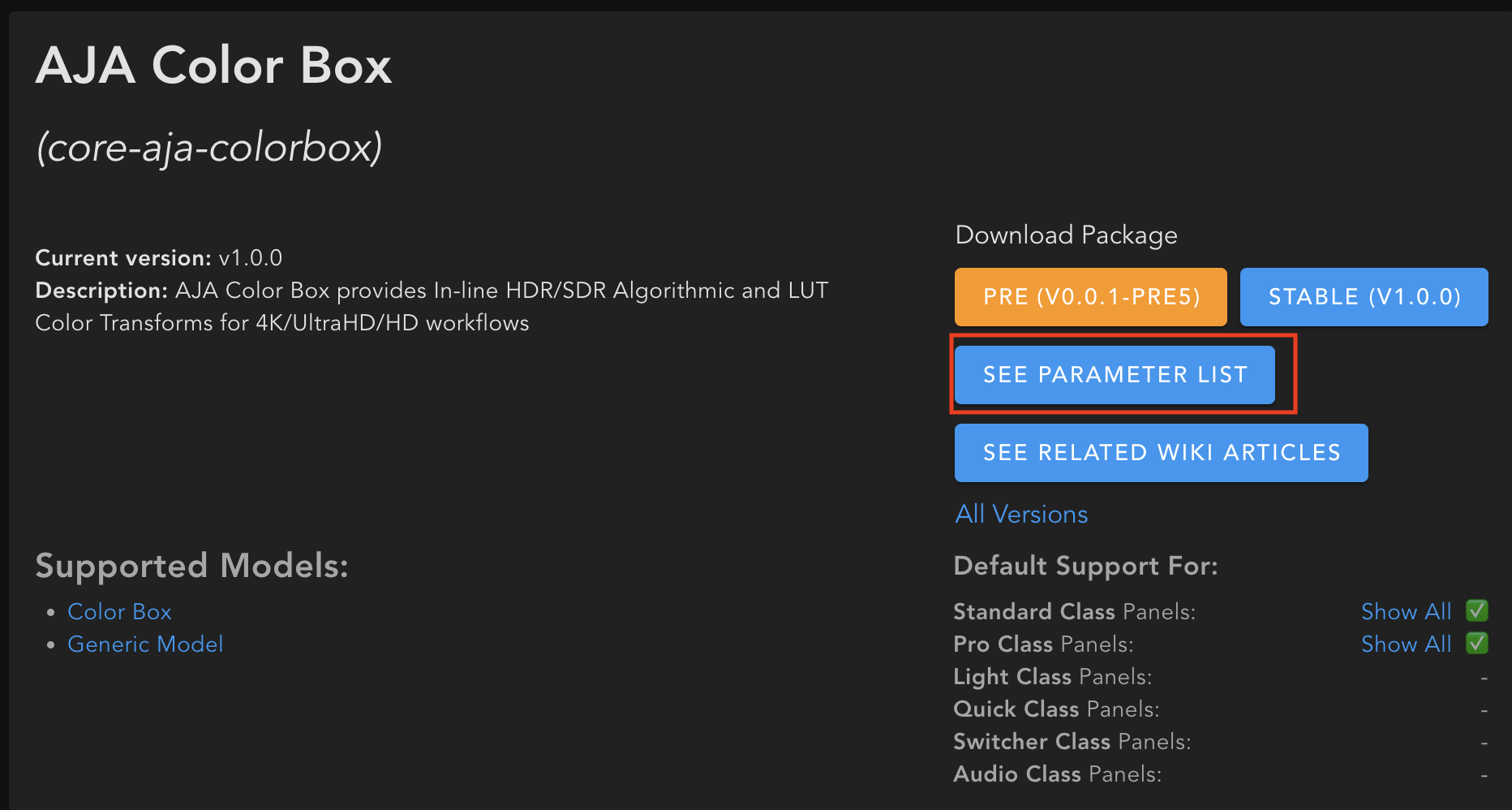
Clicking into the device for additional information will give you two options. Clicking on specific device name will then open the web link to the full parameter list only for that specific model device.
[](https://wiki.skaarhoj.com/uploads/images/gallery/2023-08/indiv-params.png)
Clicking on 'See Parameter List' will open the web link to the full parameter list for that device core and all supported models within.
[](https://wiki.skaarhoj.com/uploads/images/gallery/2023-08/full-param.png)