It is not possible to roll back SkaarOS.
In the drop down next to the device core package you can select from previously released versions. [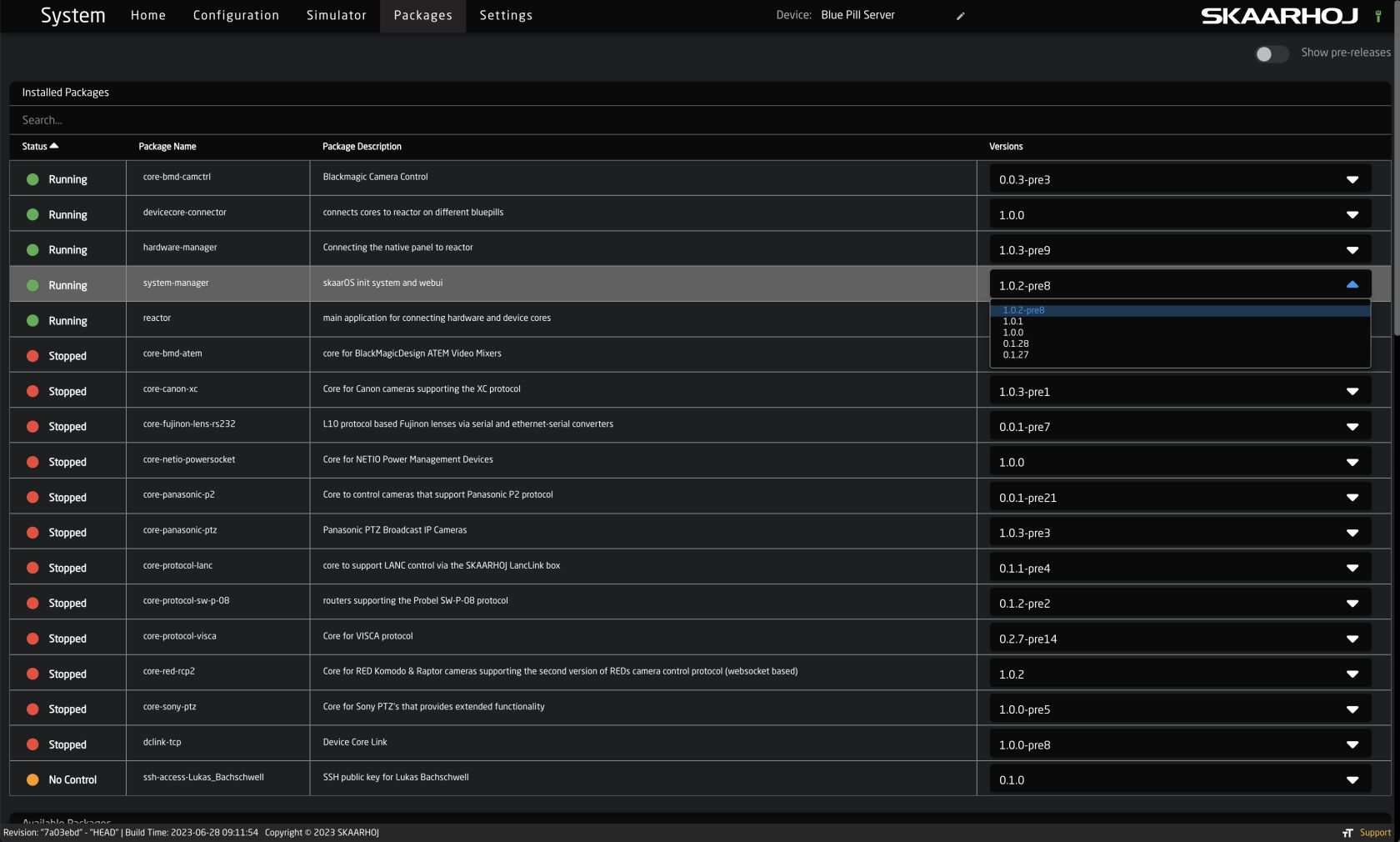](https://wiki.skaarhoj.com/uploads/images/gallery/2023-07/screenshot-2023-07-13-at-1-10-01-pm.png) Once selected, click Install [](https://wiki.skaarhoj.com/uploads/images/gallery/2023-07/screenshot-2023-07-13-at-1-14-24-pm.png) To select from a previous pre-released version of the package, in the upper right corner, enable the Show pre-release toggle. [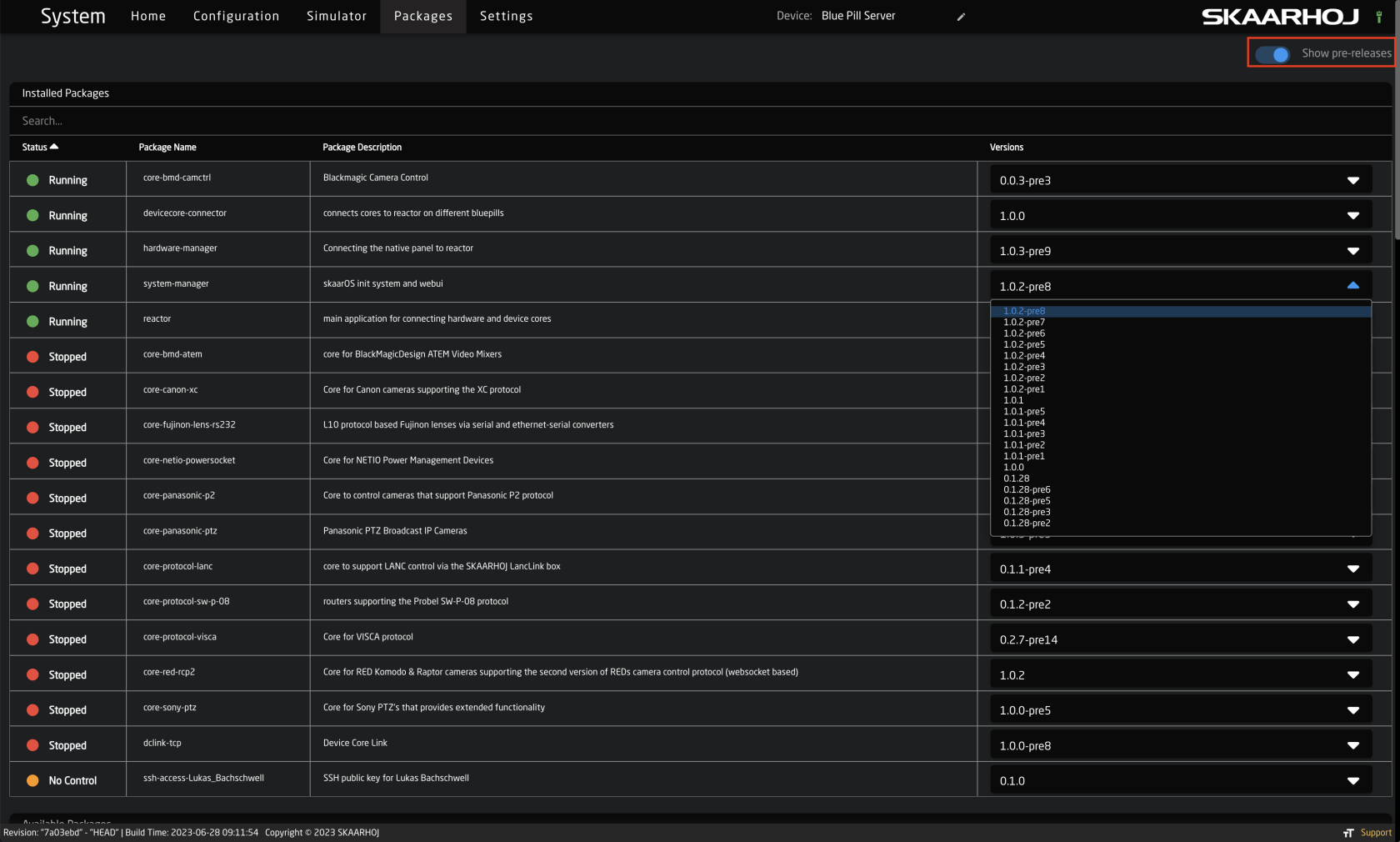](https://wiki.skaarhoj.com/uploads/images/gallery/2023-07/screenshot-2023-07-13-at-1-10-31-pm.png) **Offline Method** If internet connection is not an option, it is possible to download the latest stable release and prerelease version from our site [devices.skaarhoj.com](https://wiki.skaarhoj.com/devices.skaarhoj.com) Navigate to the device core package you need based on the device you are trying to control. Then select either the Pre or Stable version.Main Blue Pill firmware packages and the operating system can be found under Other Packages: [https://devices.skaarhoj.com/otherpackages](https://devices.skaarhoj.com/otherpackages)
[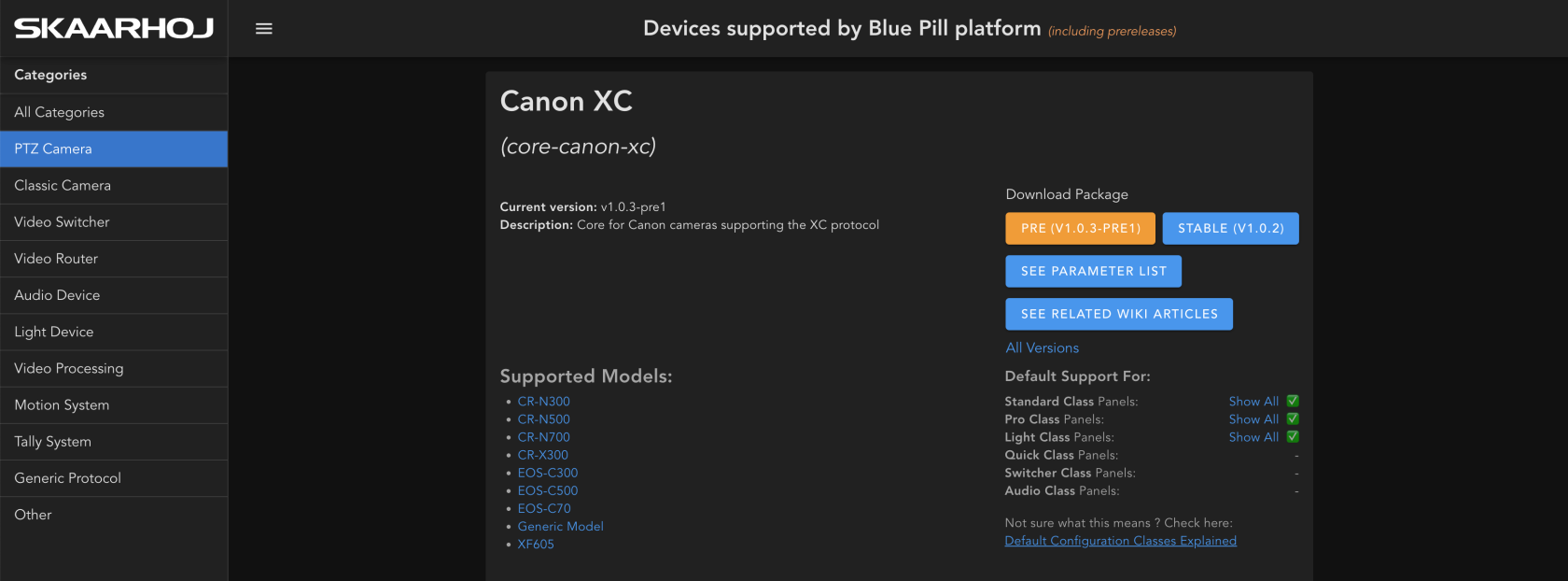](https://wiki.skaarhoj.com/uploads/images/gallery/2023-07/screenshot-2023-07-13-at-1-21-13-pm.png) For some select packages it is possible to download more versions offline. Packages with that option will have an All Versions option. [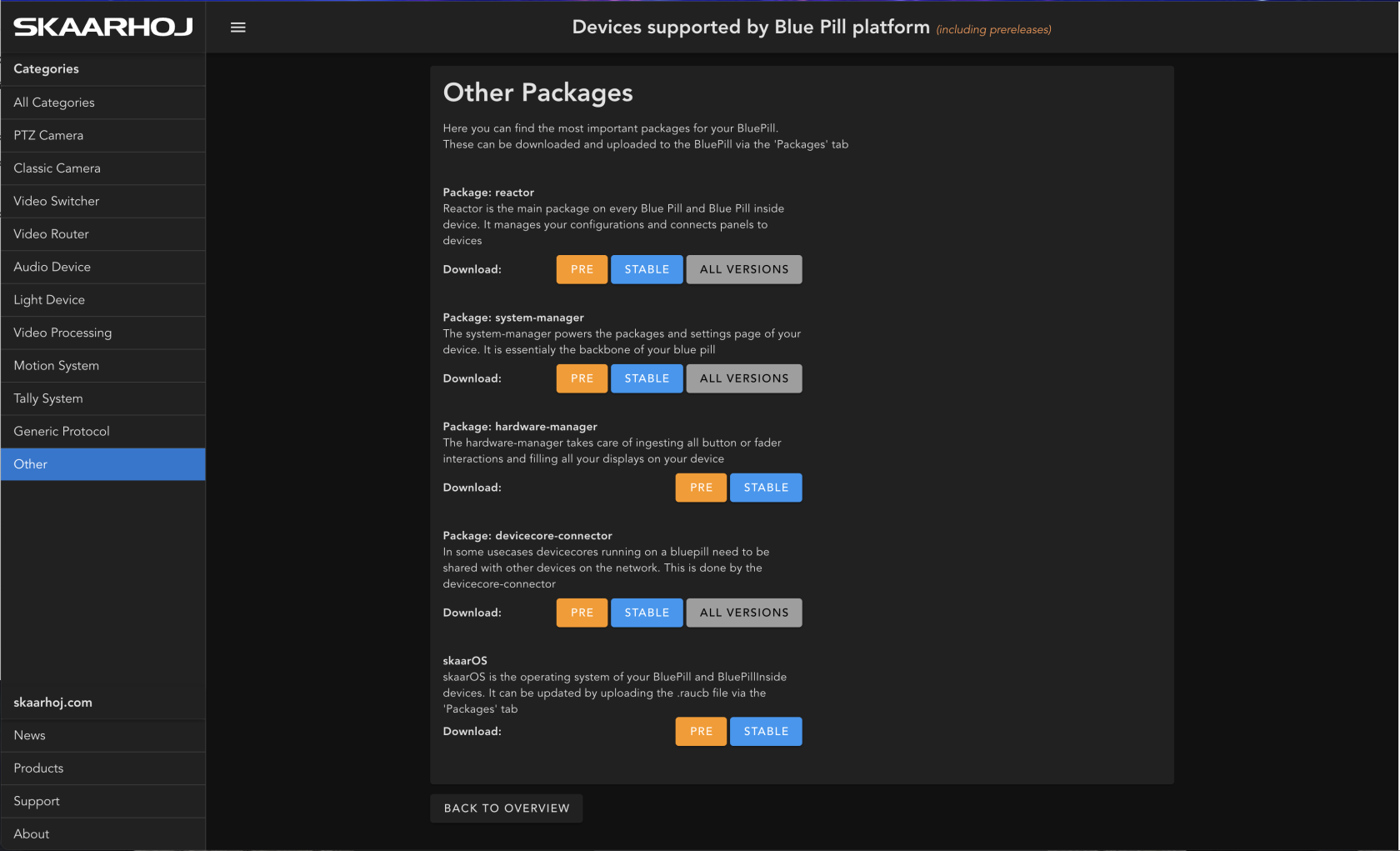](https://wiki.skaarhoj.com/uploads/images/gallery/2023-07/screenshot-2023-07-13-at-1-10-53-pm.png) Select the desired version then download. [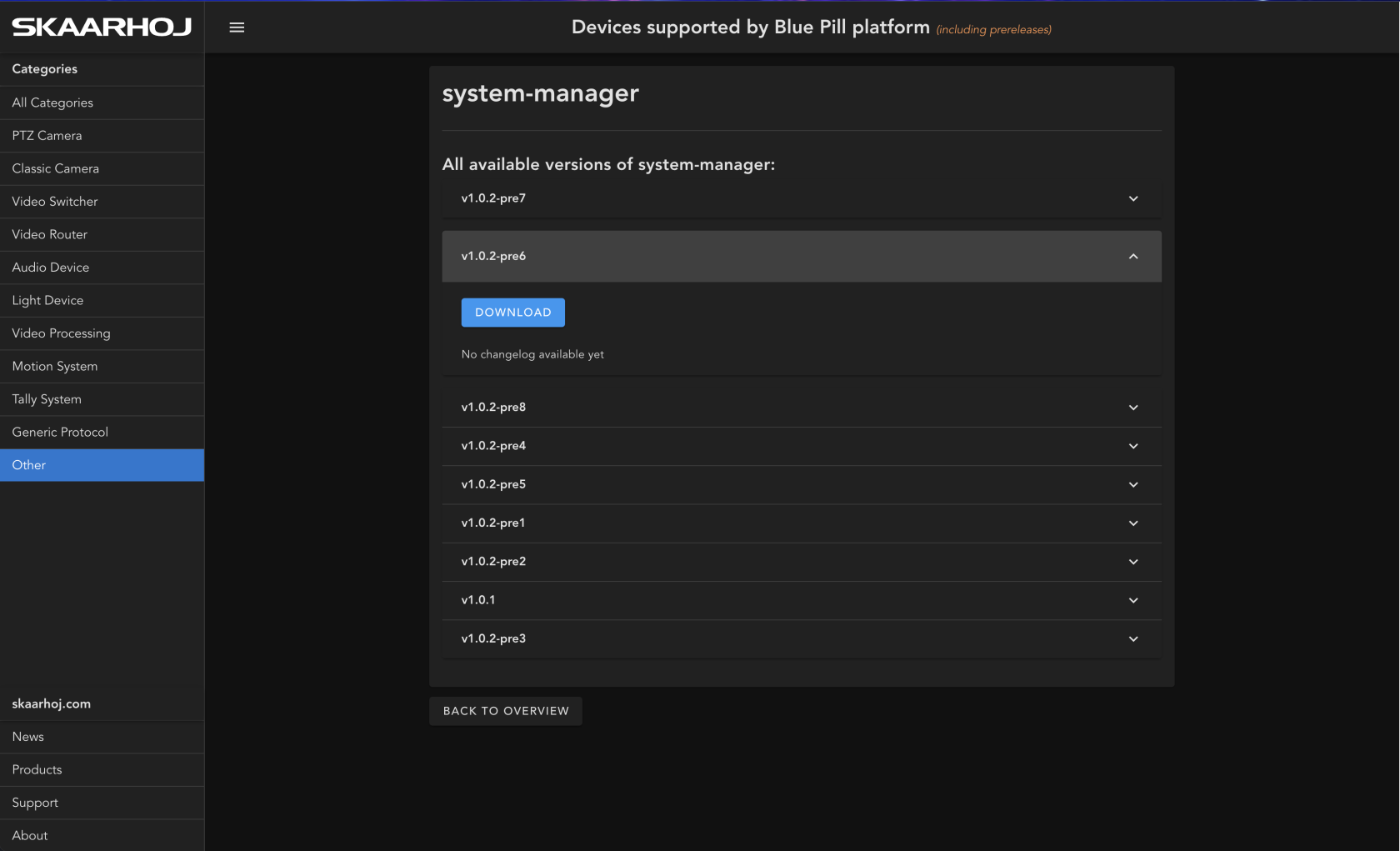](https://wiki.skaarhoj.com/uploads/images/gallery/2023-07/screenshot-2023-07-13-at-1-11-39-pm.png) The .ipks package can then be uploaded to the Blue Pill device from the bottom of the Packages page. [](https://wiki.skaarhoj.com/uploads/images/gallery/2023-07/screenshot-2023-07-13-at-1-25-27-pm.png)