An API key inherits the full access of the account that created it — potentially every site and domain. Treat it like a password: don’t share it, and revoke it in Director/DDM if it is ever exposed.
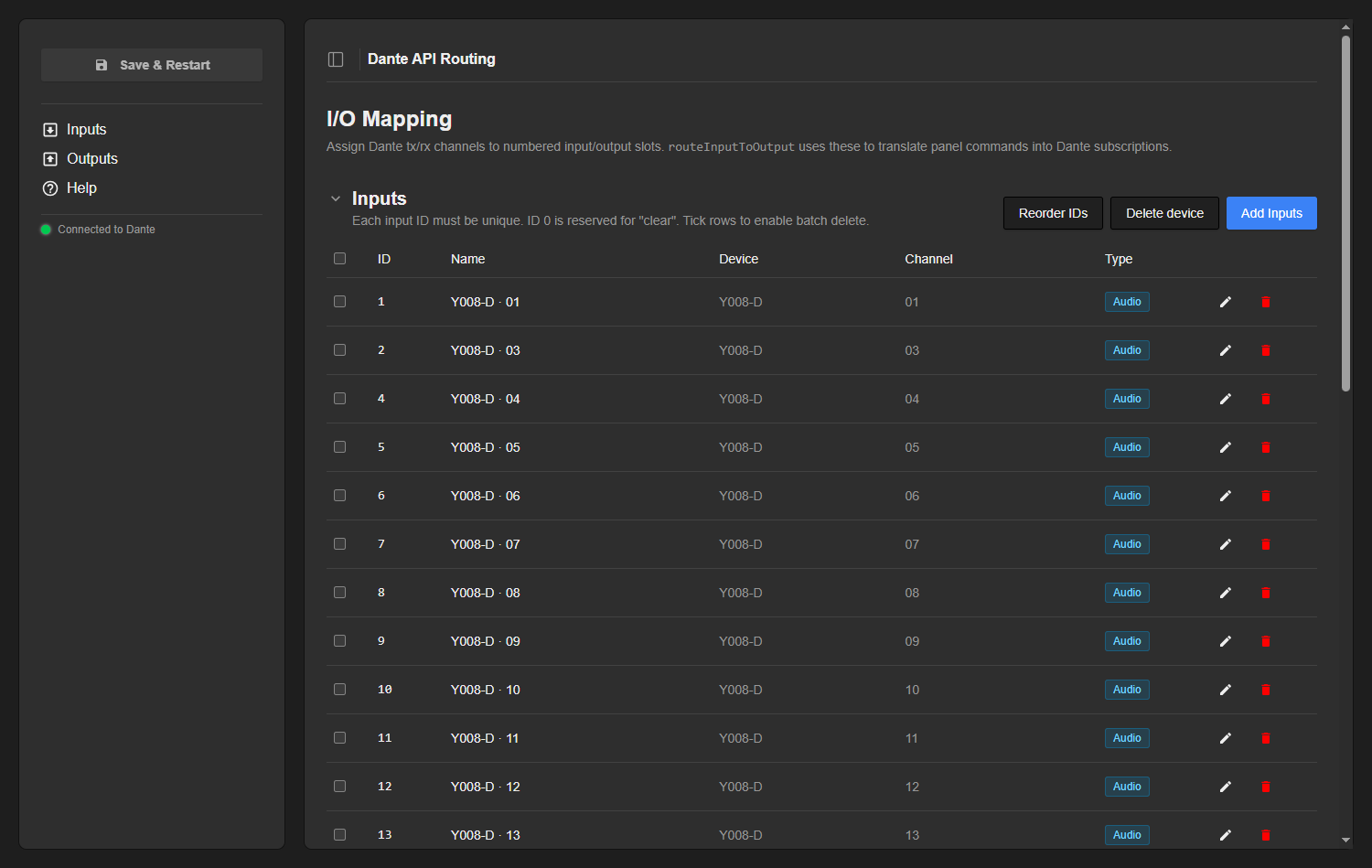
Once connected, the status pill in the lower-left of the web UI shows *“Connected to Dante”*; it polls every couple of seconds and turns red if the link to Director/DDM drops. ### Opening the web UI Open Reactor and go to the **Packages** menu, find the Dante API package and use the button to open its UI. If the core manages several Dante devices, a **device selector** appears in the lower-left of the sidebar so you can switch between them; the connection pill sits just above it. Everything below happens in this UI. ### The I/O Mapping page The web UI opens on the **I/O Mapping** page. The sidebar holds the **Save & Restart** button, the section navigation and the connection pill; the main area has two collapsible sections, **Inputs** and **Outputs**. This is where you decide which Dante channels each numbered slot stands for. [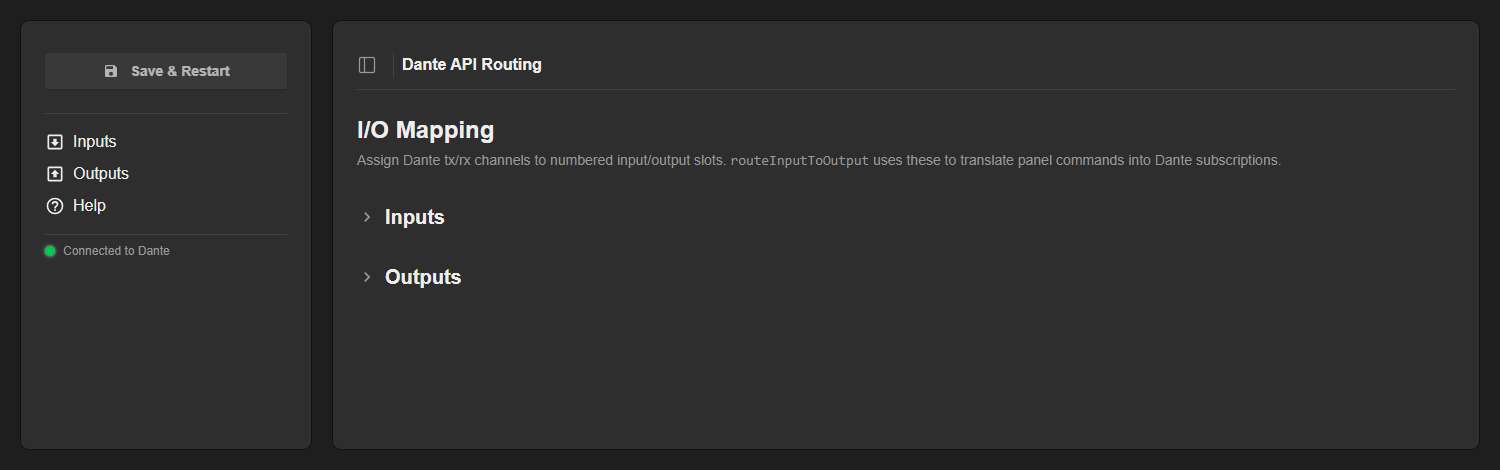](https://wiki.skaarhoj.com/uploads/images/gallery/2026-06/01-io-mapping.png) ### Inputs **Inputs** are Dante *tx* channels (sources). Each row binds a unique integer **ID** to one tx channel and shows its **Name**, the source **Device** and **Channel**, and a coloured **Type** badge (audio, video, ancillary…) reflecting the channel’s media type.Input IDs must be **unique**. Duplicates are highlighted in red and block saving until you fix them.
**ID 0 is reserved for “clear”** — routing input 0 to an output unsubscribes it.
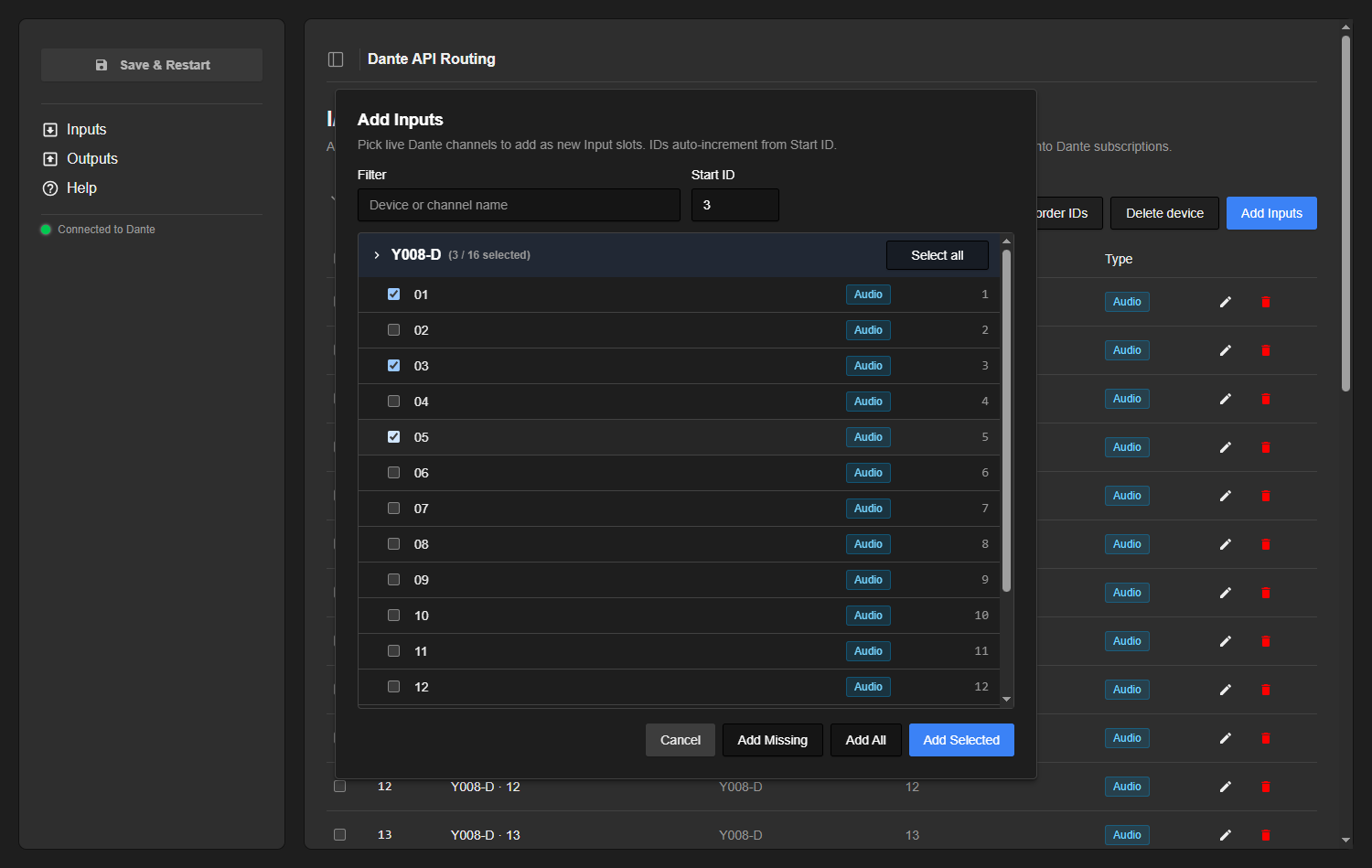
[](https://wiki.skaarhoj.com/uploads/images/gallery/2026-06/02-inputs.png) ### Outputs **Outputs** are Dante *rx* channels (subscribers/receivers). They use the same columns as Inputs, but with one important difference: **output IDs may repeat**. When you send a routing command for output ID 5, every row tagged 5 is updated — this is how one panel action fans out to several rx channels at once. [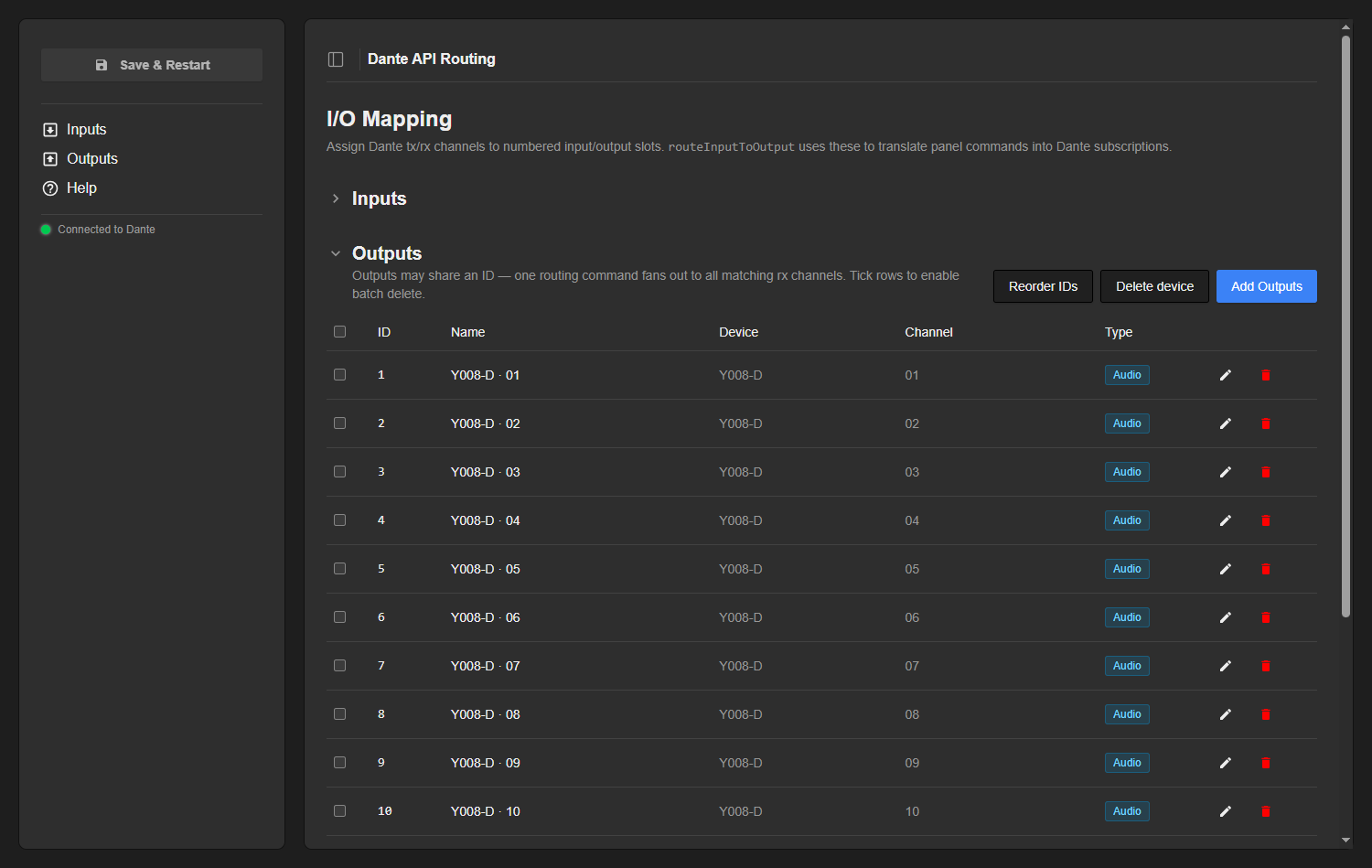](https://wiki.skaarhoj.com/uploads/images/gallery/2026-06/03-outputs.png) ### Adding channels Use **Add Inputs** / **Add Outputs** to pick from the channels seen *live* on the network. Channels are grouped by device into collapsible blocks; type in the **Filter** box to narrow by device or channel name, and set a **Start ID** that the new slots auto-increment from. Each device block has a **Select all** toggle, and every channel carries its media-type badge. - **Add Selected** — adds the channels you ticked. - **Add All** — adds every live channel in the list. - **Add Missing** — adds only channels that are not already mapped, so you can top up after new devices appear.If the dialog reports *“No live channels found”*, the core is not connected to a domain (or the domain has no API-visible devices) — check the connection pill.
[](https://wiki.skaarhoj.com/uploads/images/gallery/2026-06/04-add-inputs.png) ### Editing, reordering & deleting Rows can be tuned individually or in bulk: - **Edit** (pencil) — edit a row’s **ID** and **Name** inline; the green check saves, the red cross cancels. The device and channel themselves are fixed by the channel you picked. - **Reorder IDs** — renumbers the slots `1, 2, 3, …` in their current row order, handy after adds/deletes have left gaps. For outputs this makes every ID unique, so it splits any shared-ID fan-out groups. - **Delete device** — removes every slot belonging to one device in a single step. It is per-section: the button under Inputs only clears that device’s inputs, the one under Outputs only its outputs. - **Batch delete** — tick the row checkboxes (or the header checkbox to select all) and a bar appears with a **Delete selected** button. Individual rows also have a trash icon.**Delete device**, **Delete selected** and the row trash icon remove slots from your draft with no undo button. The change only becomes permanent when you **Save & Restart** — until then the saved configuration on the device is untouched.
[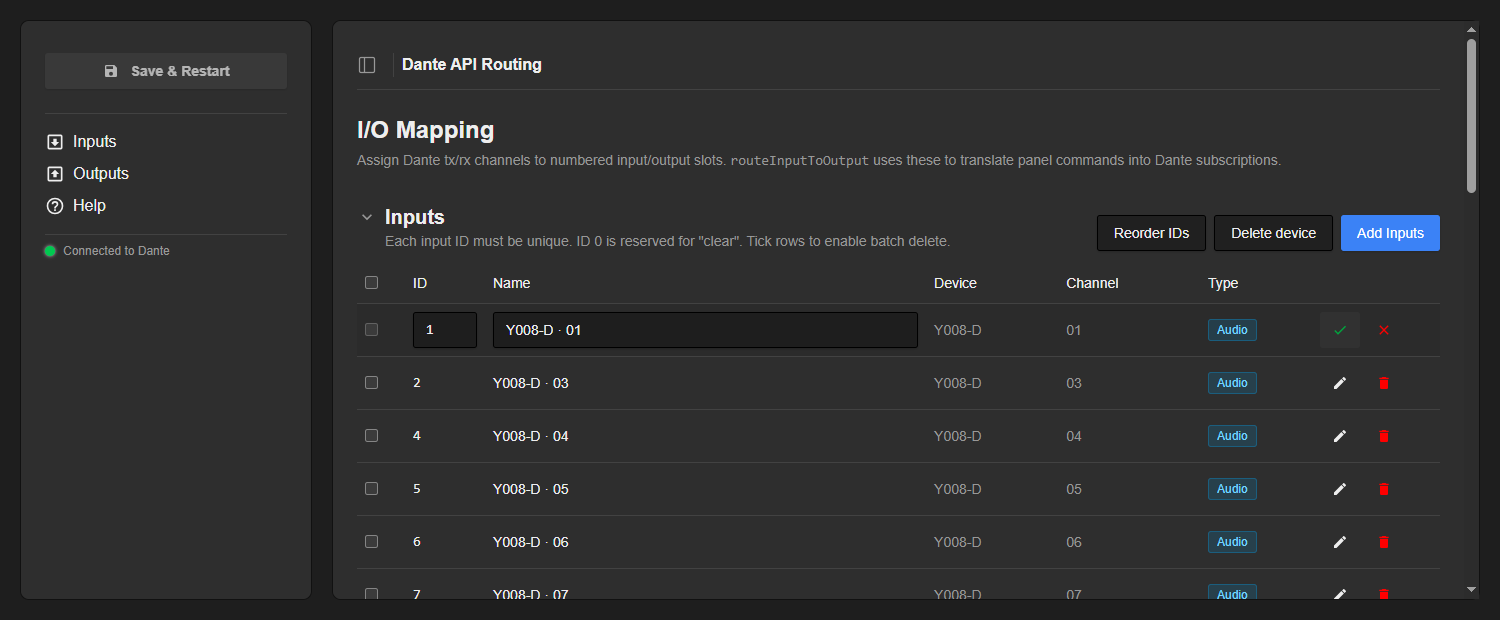](https://wiki.skaarhoj.com/uploads/images/gallery/2026-06/05-edit-row.png) [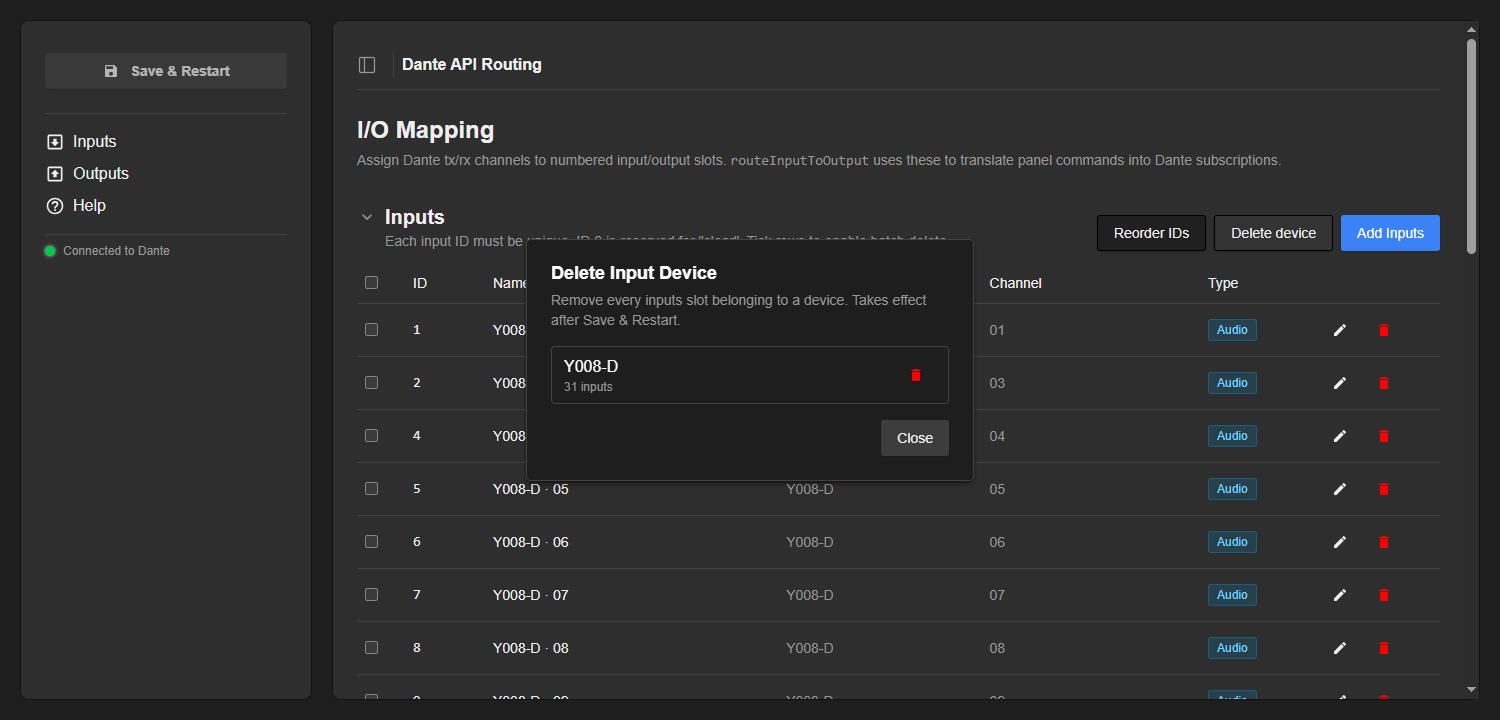](https://wiki.skaarhoj.com/uploads/images/gallery/2026-06/06-delete-device.png) [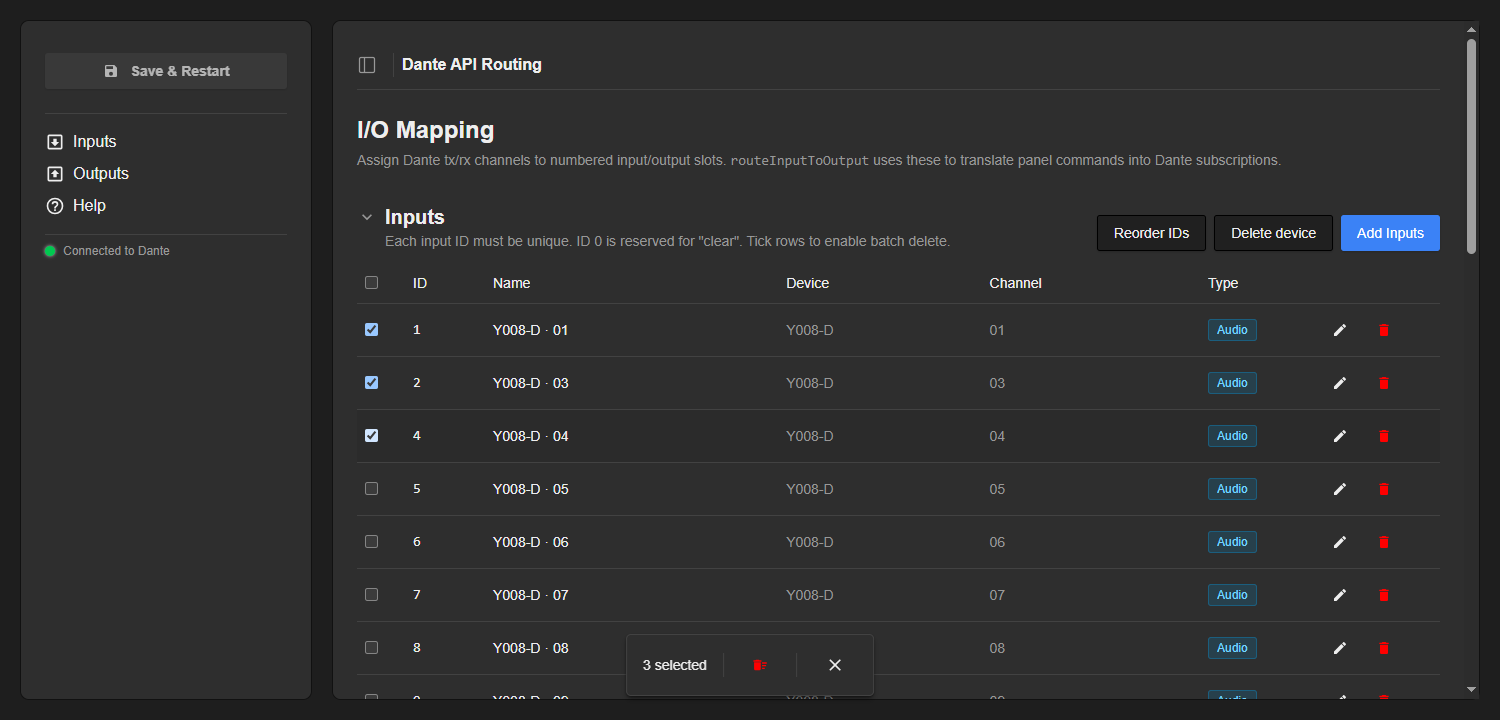](https://wiki.skaarhoj.com/uploads/images/gallery/2026-06/07-batch-delete.png) ### Save & Restart Edits are kept in a **draft** until you press **Save & Restart**. While there are unsaved changes the button turns blue and pulses and an *“Unsaved changes”* note appears.**Save & Restart restarts the core.** The numbered-routing parameters are sized and labelled from your mapping, so their shape only updates on restart. Make all your edits first, then save once.
[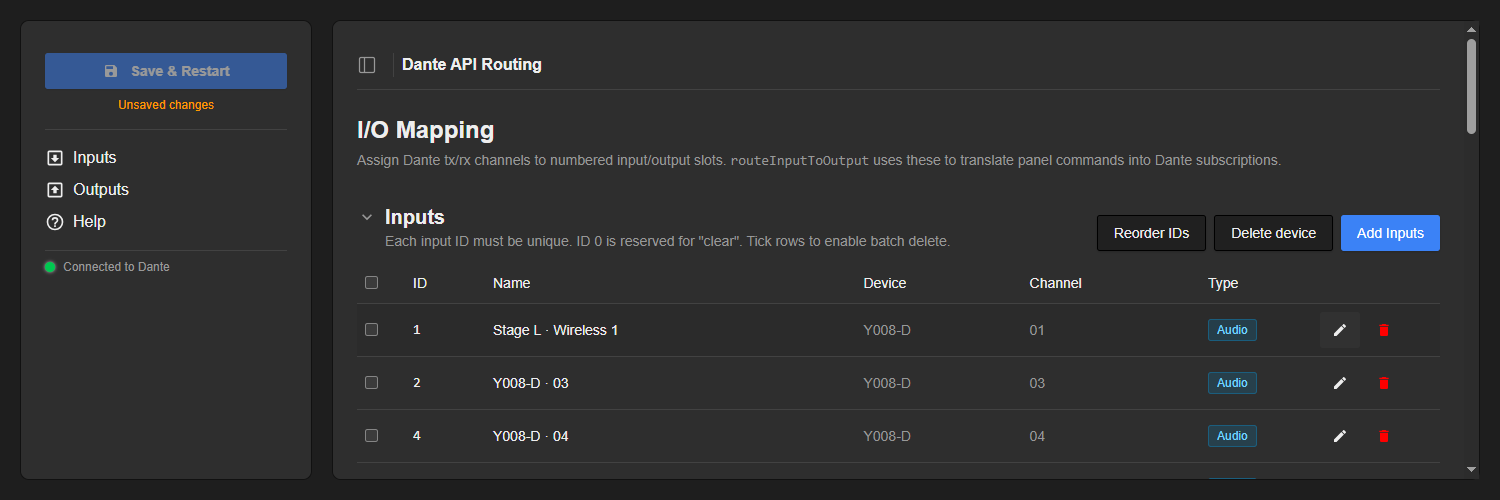](https://wiki.skaarhoj.com/uploads/images/gallery/2026-06/08-save-restart.png) ### Using it from a panel Once a mapping is saved, the core exposes two parameters under `routing` for everyday operation: - `routeInputToOutputOpt` — **recommended**. Routing as an **option list**, so the operator can pick the input *by name* instead of by number. The dimension index is the *output ID*. Option 0 is *N/A* (clears the output), and any gaps in your input numbering show up as *“(unused N)”*. - `routeInputToOutput` — the same routing as a plain **integer**. The value is the *input ID*; the dimension index is the *output ID*. Send `0` to clear that output. The value range and dimension count are sized to the highest input / output IDs you configured.For everyday operation reach for `routeInputToOutputOpt` — picking the input by name reads far more clearly on the panel than a raw number.
The output dimension’s element labels are taken from the names you gave the outputs (when several outputs share an ID, their names are joined with *“ + ”*), so the routing reads clearly in Reactor. ### Direct routing (advanced) For ad-hoc routing without a numbered map, the core also exposes a manual selection workflow. You browse the domain directly and connect any receiver channel to any transmitter channel: - **Domain** — `current_domain` selects which domain to control, with read-only `domain_name` and status read-outs (`domain_status_clocking`, `…_connectivity`, `…_latency`, `…_subscriptions`, `…_summary`). - **Receiver** — `rx_device` then `rx_channel` choose the receive channel to change (`rx_channel_type` reports each channel’s media type). - **Transmitter** — `tx_device` then `tx_channel` choose the source to feed it (`tx_channel_type` per channel; `current_tx_device` / `current_tx_channel` read back what is currently feeding the selected receiver). - **Control** — `mode` switches between *Take Mode* and *Direct Mode*. In Take Mode changes are staged and committed with `take` (or rolled back with `revert`); `take_or_clear` commits pending changes or, if none, clears the selected receiver. In Direct Mode each selection applies immediately. ### Troubleshooting - **Pill shows “Disconnected”** — check the URL, that the API key is valid and has access to the relevant site/domain, and that Director/DDM is reachable. Only enable *Use HTTP* for a non-TLS endpoint. - **“No live channels found” in the Add dialog** — the core is not connected to a domain, or the domain has no API-visible devices. Note that the Dante Managed API does not expose legacy (pre-4.0) devices, the virtual devices used for Shared Audio Groups, or AES67 / SMPTE 2110 subscriptions. - **Duplicate input IDs (red rows)** — two inputs share an ID; saving is blocked until you fix or remove one (or use *Reorder IDs*). - **A change isn’t visible in Reactor** — mapping edits only reach the controller after **Save & Restart**, because they change the routing parameters’ shape. ### Built-in Help The web UI has a built-in **Help** page summarising what the core does, how to configure the mapping for AV technicians, and the routing parameters for integrators — a quick reference while you work. [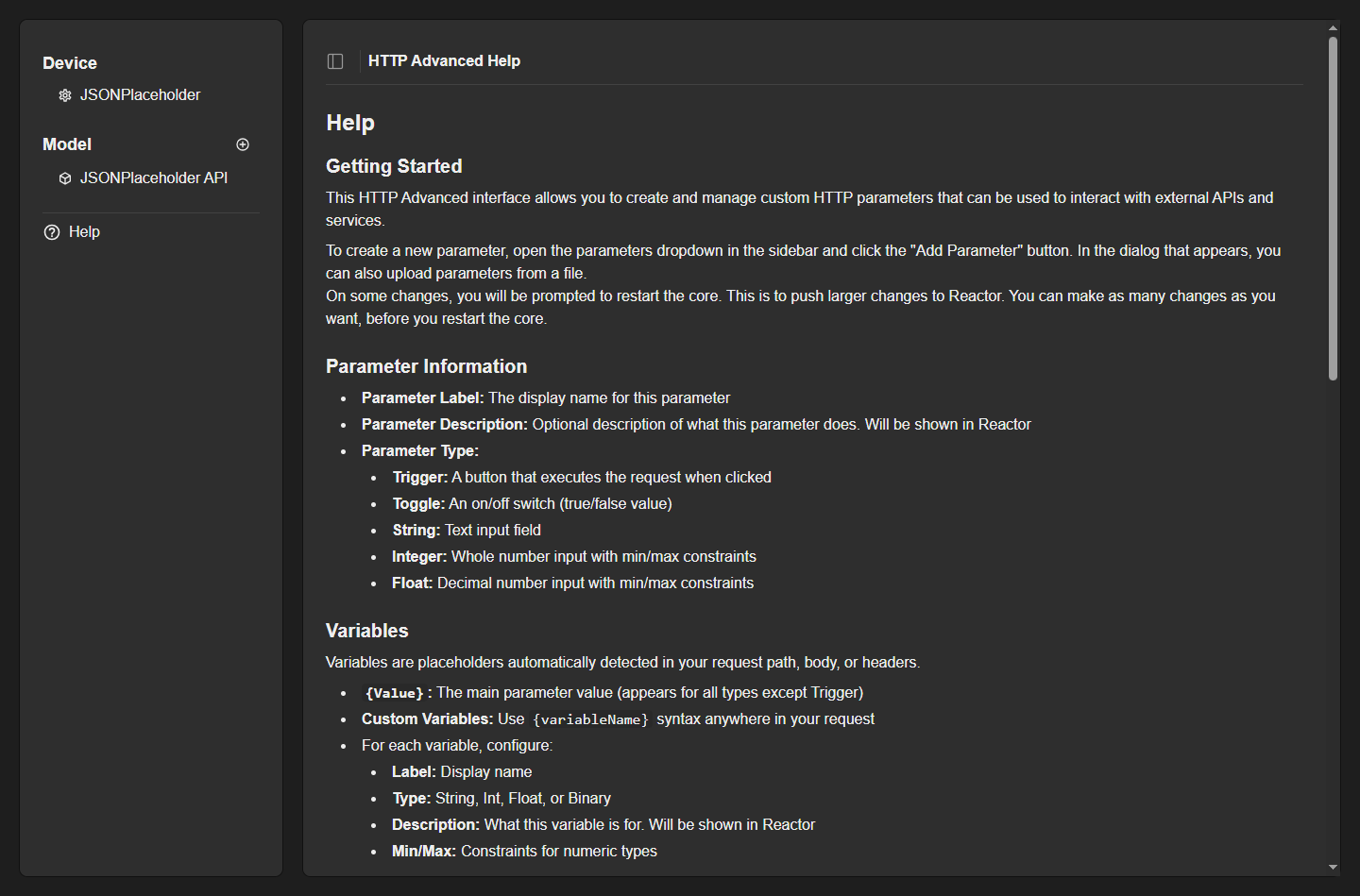](https://wiki.skaarhoj.com/uploads/images/gallery/2026-06/09-help.png) ### Reference **Routing parameters (numbered):** `routeInputToOutputOpt` (option list; input by name — recommended) and `routeInputToOutput` (integer; value = input ID, dimension = output ID, 0 = clear). **Direct parameters:** `current_domain`, `domain_name`, `domain_status_*`; `rx_device`, `rx_channel`, `rx_channel_type`; `tx_device`, `tx_channel`, `tx_channel_type`, `current_tx_device`, `current_tx_channel`; `take`, `take_or_clear`, `revert`, `mode` (Take / Direct). **Concepts:** Inputs = Dante tx channels (unique IDs; ID 0 = clear); Outputs = Dante rx channels (IDs may repeat for fan-out). Mapping changes take effect after **Save & Restart**.