
DataVideo PTR-10 and PTC-150
Some DataVideo devices only support their proprietary DVIP protocol over the network. For connection and control using the Visca protocol from a Skaarhoj panel, an ethernet to serial converter can be used.
Ethernet to Serial connection
To communicate via serial (RS-485) to the camera you need an Ethernet-Serial converter. We suggest you get a TCP232-306 from USR- https://www.usriot.com/products/serial-to-ethernet-server.html
The TCP232-306 is not the only ethernet to serial converter that works, but is the model we tested in house with the DataVideo devices.
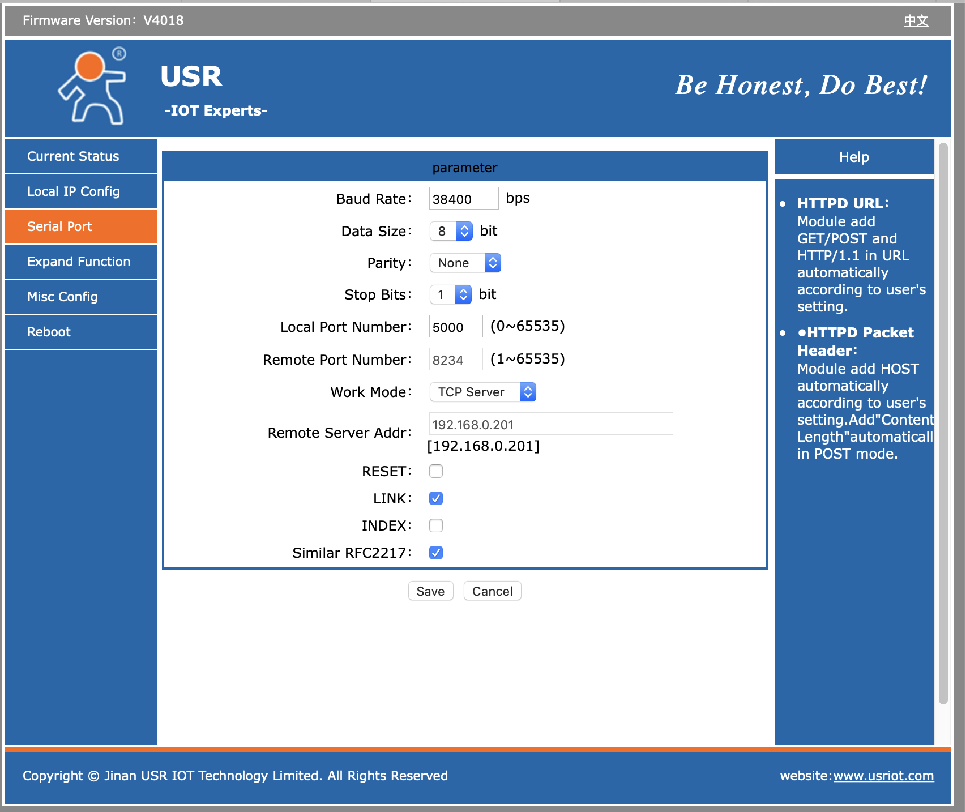
Below you will find screenshots of how to configure the USR-TCP232-306 converter (found on the web interface of the TCP232-306). Notice the IP address of the TCP232-306 (Static IP Address) must match the IP settings of the Datavideo PTC-150 Device Core.
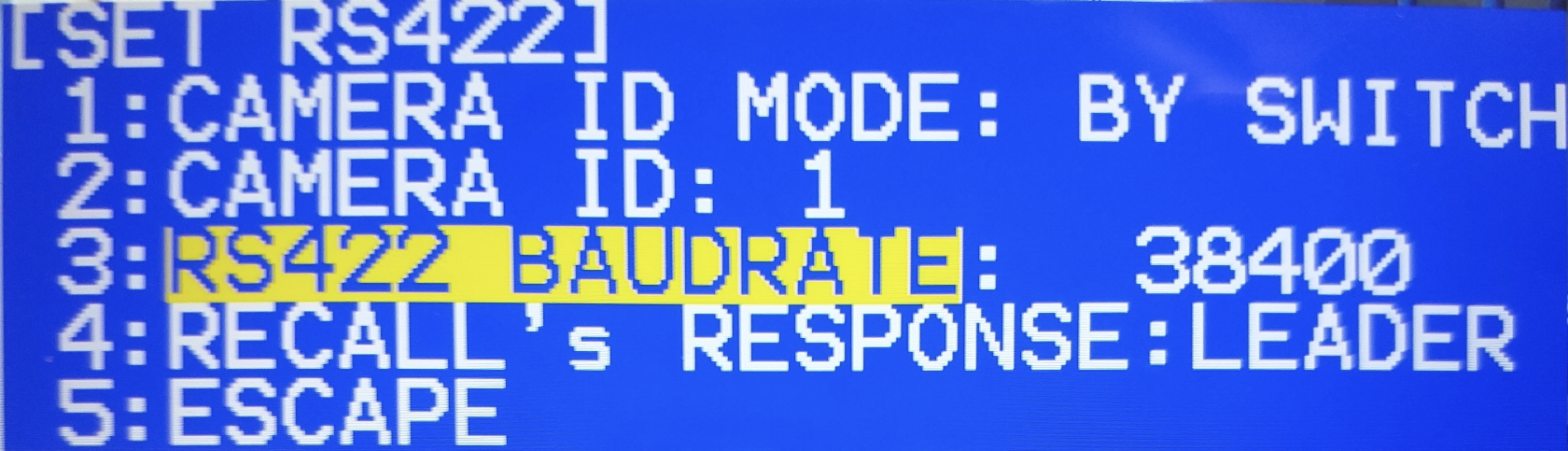
The specific Baud Rate used is set in the Camera’s OSD.
Wiring to the Camera/Converter
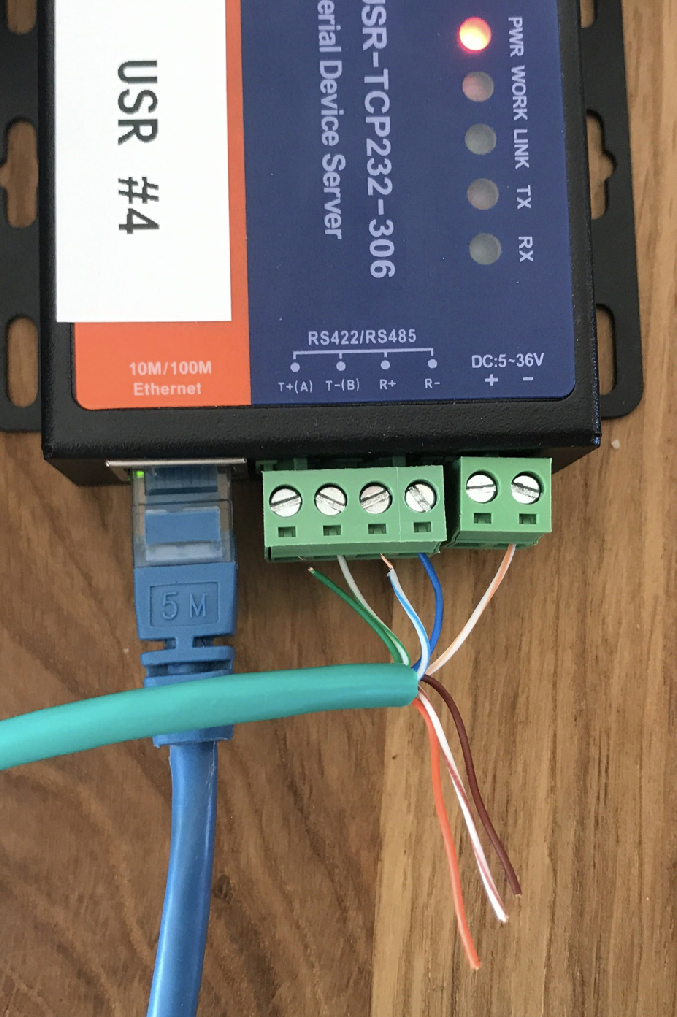
|
Serial Converter |
RJ45 |
|
GND |
White/Orange |
|
Rx- |
Blue |
|
Rx+ |
White/Blue |
|
Tx- |
White/Green |
|
TX+ |
Green |
Dip Switches
On PT Head dip switch settings.
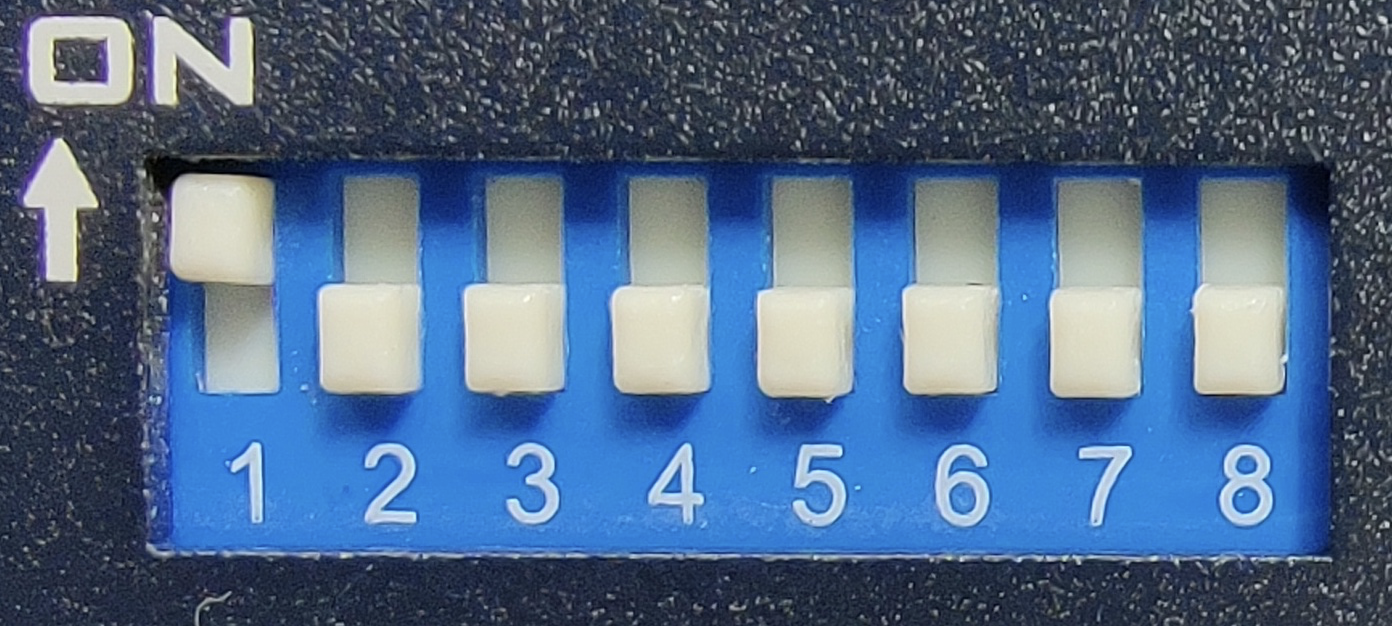
| Function | Switch | On/Off |
| Visca-ID 1 | 1 | On |
| Visca-ID 2 | 2 | Off |
| Visca-ID 3 | 3 | Off |
| Remote Control Protocol | 4 | Off for RS-422 |
| Video Resolution | 5-7 | See Camera manual for desired resolution |
| Video Mode Selection Method | 8 | Off |
See the Datavideo PTR-10 /PTC-150 Instruction Manual for detailed Dip Switch configuration.