Tilta Nucleus M
The Tilta Nucleus Core supports control of Tilta Nucleus-M motors via a wired connection.
The core runs on a Blue Pill with a USB-to-UART converter connected to the motors. Reactor then talks to the core, either on the same Blue Pill or on another one over the network. The hardware and cable details are at the bottom of this page.
Before you start
- The USB-to-UART converter is plugged into the device that runs the core.
- The converter is set to 3.3V and wired to the motor with the correct cable (see Hardware and cable below).
- The motors are powered, either through the cable or separately.
Connecting to Reactor
- In Reactor, select Add Device from the Home page.
- Click on Add Manually, search for Tilta Nucleus and add Tilta Nucleus M Serial.
- If the motors are powered on, the device should state Connected.
Settings
The core has one setting, Port. Leave it empty to detect the serial port automatically. If several converters are connected, or the wrong port is picked, enter the port manually.
Using the web UI
The core has a small web UI for setting up each motor. It appears as the Tilta app. If the UI looks different, update the device core to the newest version.
The page shows Connected or Disconnected at the top, followed by one card each for Zoom, Focus, Iris and Extra. Each card has the same settings:
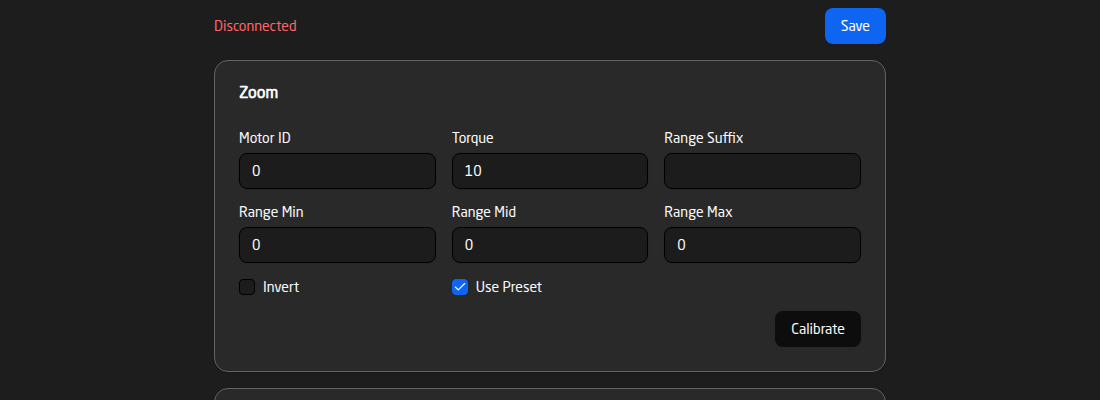
- Motor ID: the ID (1–4) of the motor that controls this function.
0means no motor is assigned. - Torque: how much force the motor uses (0–99).
- Range Suffix, Min, Mid and Max: the range and unit used for this function, for example a focus distance.
- Invert: reverses the direction of the motor.
- Use Preset: include this motor when presets are stored and recalled.
- Calibrate: starts calibration of the motor. It needs a Motor ID other than
0.
Changes are only kept after you press Save. Calibrate runs straight away and does not need a save.
Using the core from another Blue Pill
Because the converter is connected over USB, the core is often run on one Blue Pill and shared with others. See Sharing device cores across different Blue Pills for how to set this up.
What you can control
- Position: absolute position, relative (increment/decrement) steps, and a position readout.
- Speed and torque: adjust how fast the motor moves and how much torque it uses.
- Invert: reverse the direction of the motor.
- Calibration: calibrate the motor, or mark the start and end of its range.
- Presets: store and recall positions.
Troubleshooting
- The core does not connect: check that the converter is set to 3.3V, that TX and RX are not swapped, and that the motors are powered.
- The wrong port is used: set the Port manually instead of leaving it empty.
- The motor moves in the wrong direction: use the invert option.
Hardware and cable
The core operates through a USB-to-UART (TTL) converter. We have tested it using this converter in 3.3V mode:
https://www.waveshare.com/usb-to-ttl-d.htm
Other converters may work, but we cannot guarantee their compatibility. Please ensure you use a 3.3V serial connection only.
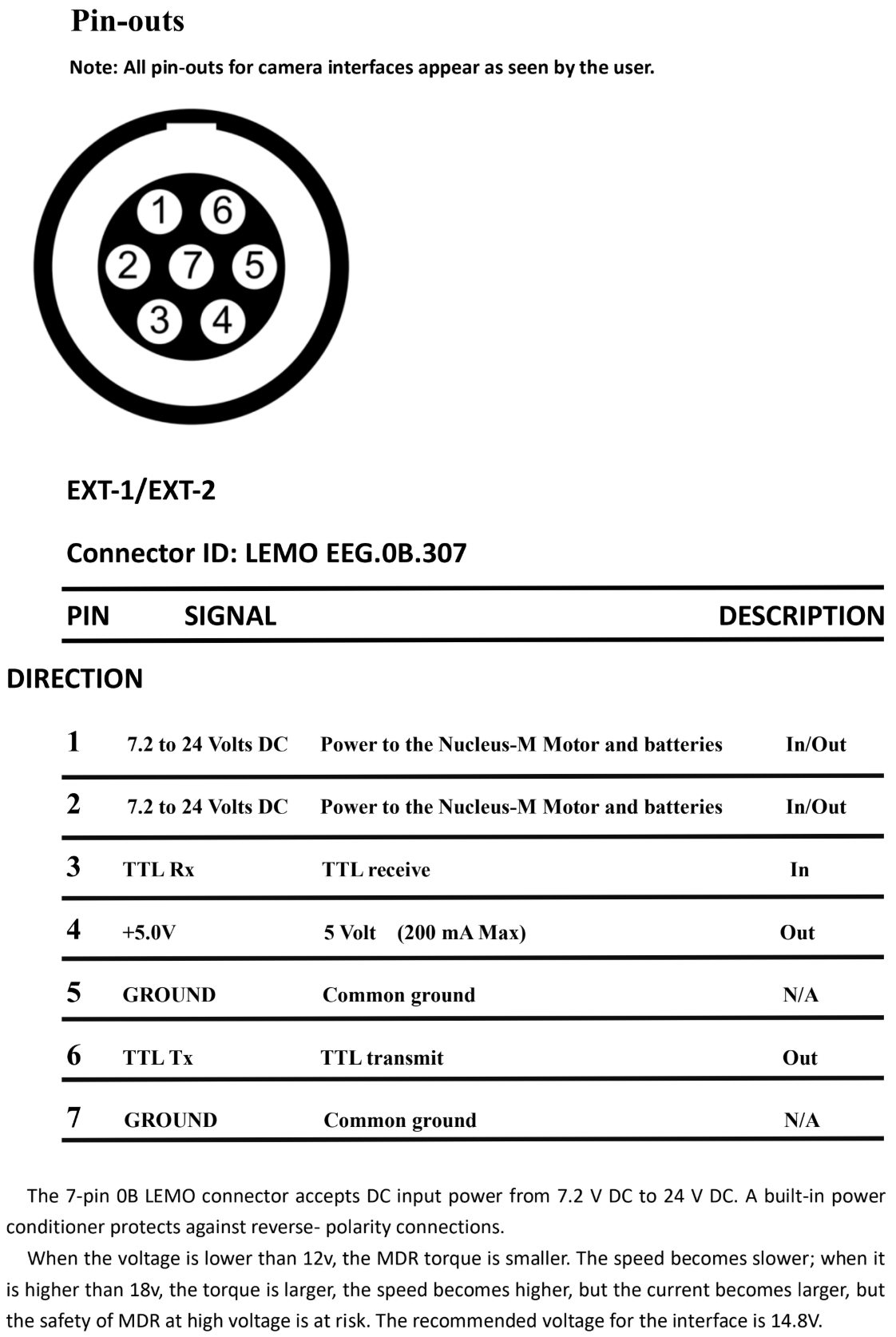
A custom cable is required to connect to the 7-pin LEMO connectors on the camera. This cable can be designed to provide both power and control, or control only.