Blackmagic Camera App for Android/iOS
It is possible to control the Blackmagic Camera App from Skaarhoj Blue Pill Panels. This has been tested initially with the app version 3.4.0.
There are a few settings needed to enable within the app.
In the Blackmagic Camera App settings:
Remote Camera Control
-Enable Remote Camera Control to be able to edit the settings
-Use This iPhone (or android) as: Remote Camera
-Camera Available for: Control and Monitor
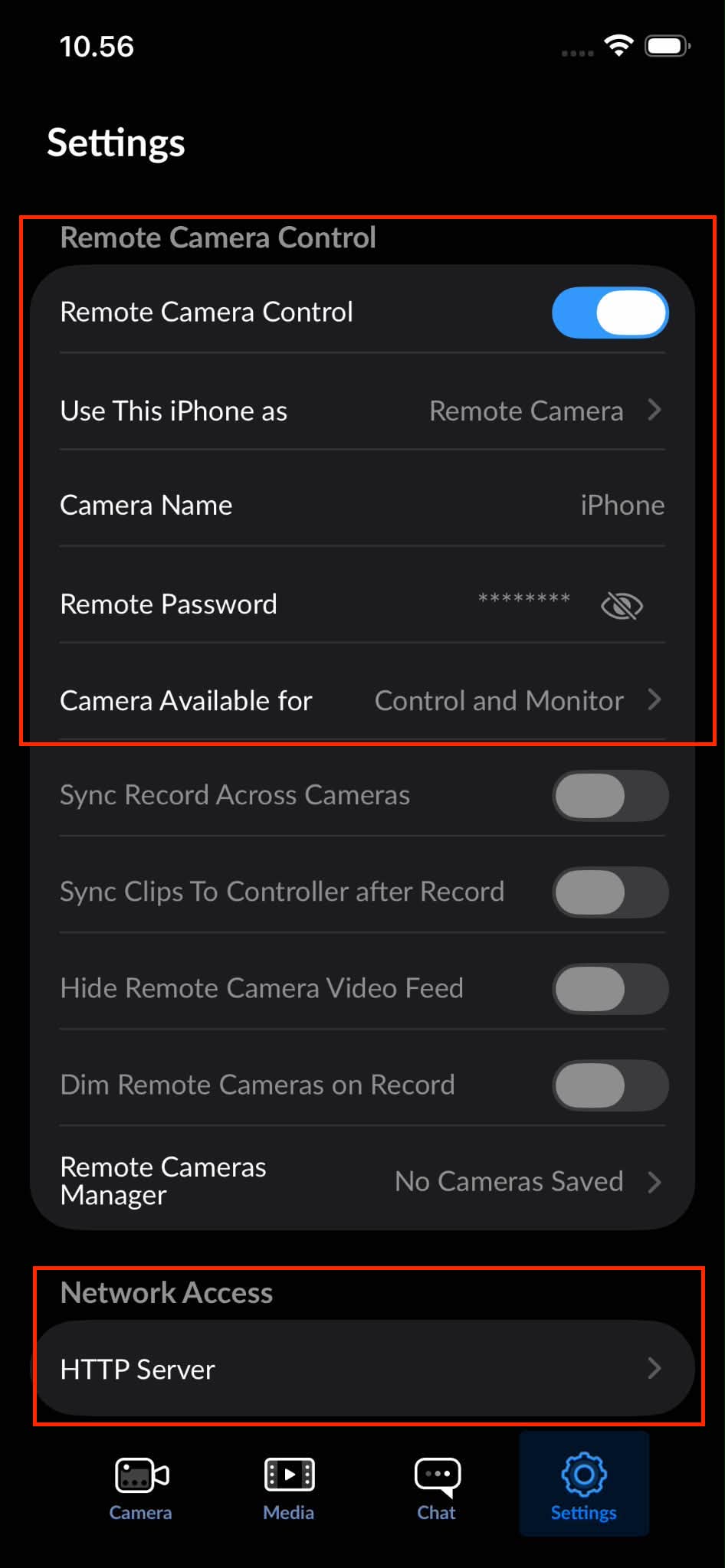
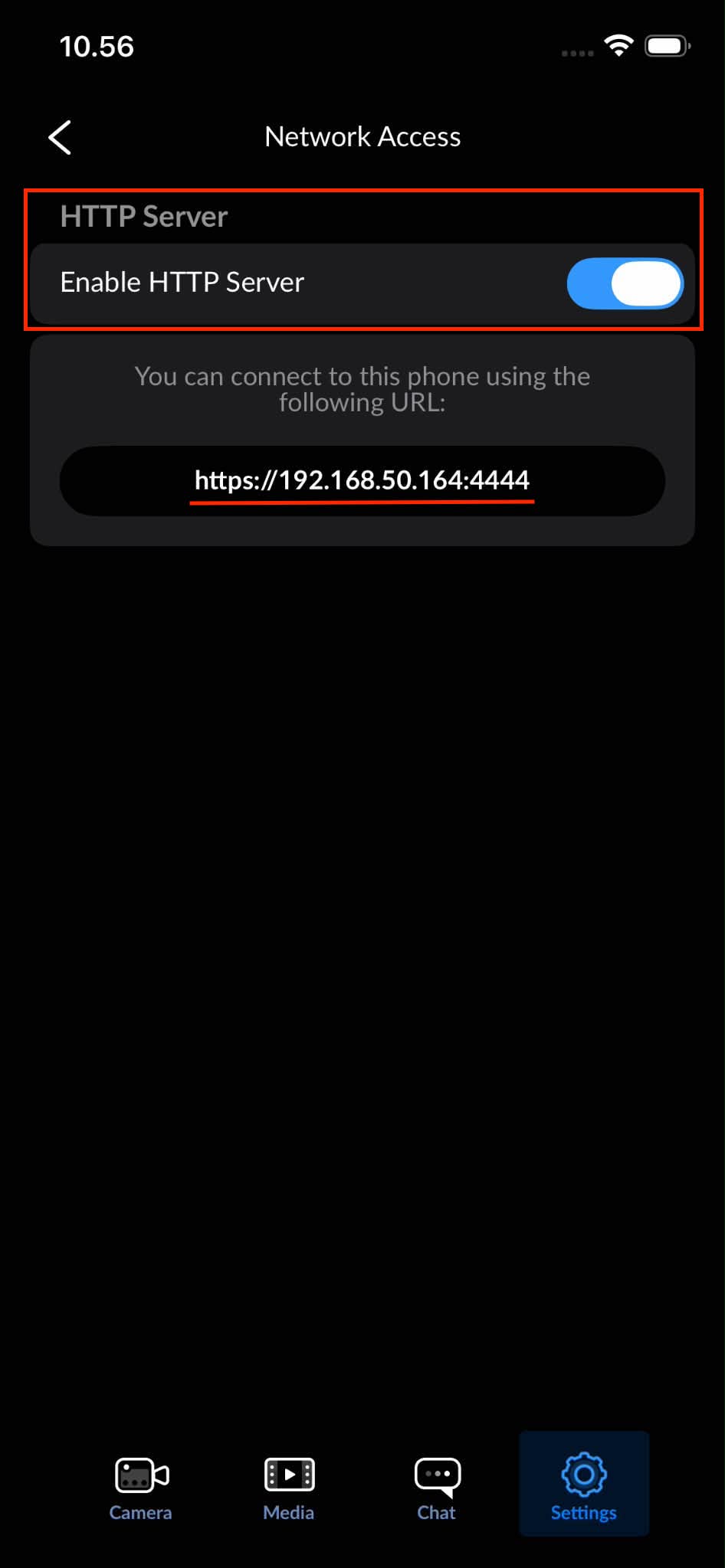
Network Access
-Enable HTTP Server: enable
- Use IP address in the URL for connection from the Skaarhoj panel.
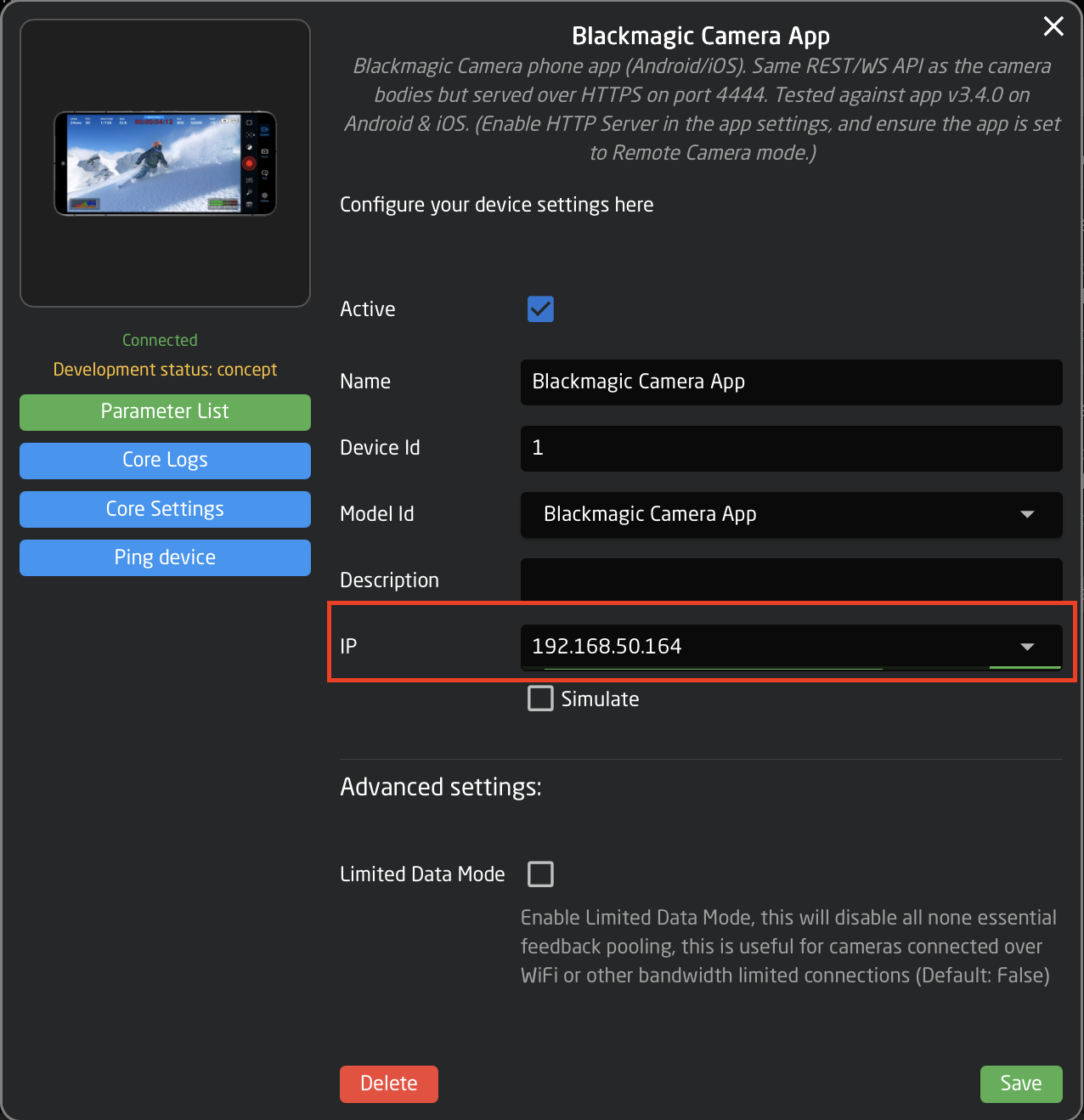
On the Home Page of the Skaarhoj panel, the Blackmagic Camera App needs to be added manually under devices. Enter the IP address seen in the Network Settings of the Blackmagic Camera App.
Note the Blackmagic Camera App needs to be open on the phone for a connection to be established.