
IFB Returns and Link Groups
IFB — interruptible foldback — is the return feed a source hears while it is on air: the director’s talkback in a reporter’s earpiece. FlowGrid can set that return up automatically, so nobody has to remember to patch it when the shot changes.
Link groups keep destinations that belong together moving together, most often the two legs of a stereo pair. Both live in the same small dialog, so they are covered here side by side.
The rule, in one sentence
When a source is put on a destination, that destination’s talkback is routed back to that source’s return feed.
To make that work you tell FlowGrid two things:
- On the source (an input): IFB return output — where this source’s earpiece feed comes out of the router.
- On the destination (an output): IFB talkback input — which talkback circuit belongs to this destination.
Say ‘Reporter 1’ has its earpiece fed from ‘Aux 4’, and your main studio destination’s talkback is ‘Studio Talkback’. Put ‘Reporter 1’ on that destination and FlowGrid immediately routes ‘Studio Talkback’ to ‘Aux 4’. Put a different source on the same destination and the talkback follows it to that source’s return instead.
Setting it up
Open the Inputs or Outputs editor under Editor in the sidebar and click the cog on a row — Settings (IFB, link group).
On a source
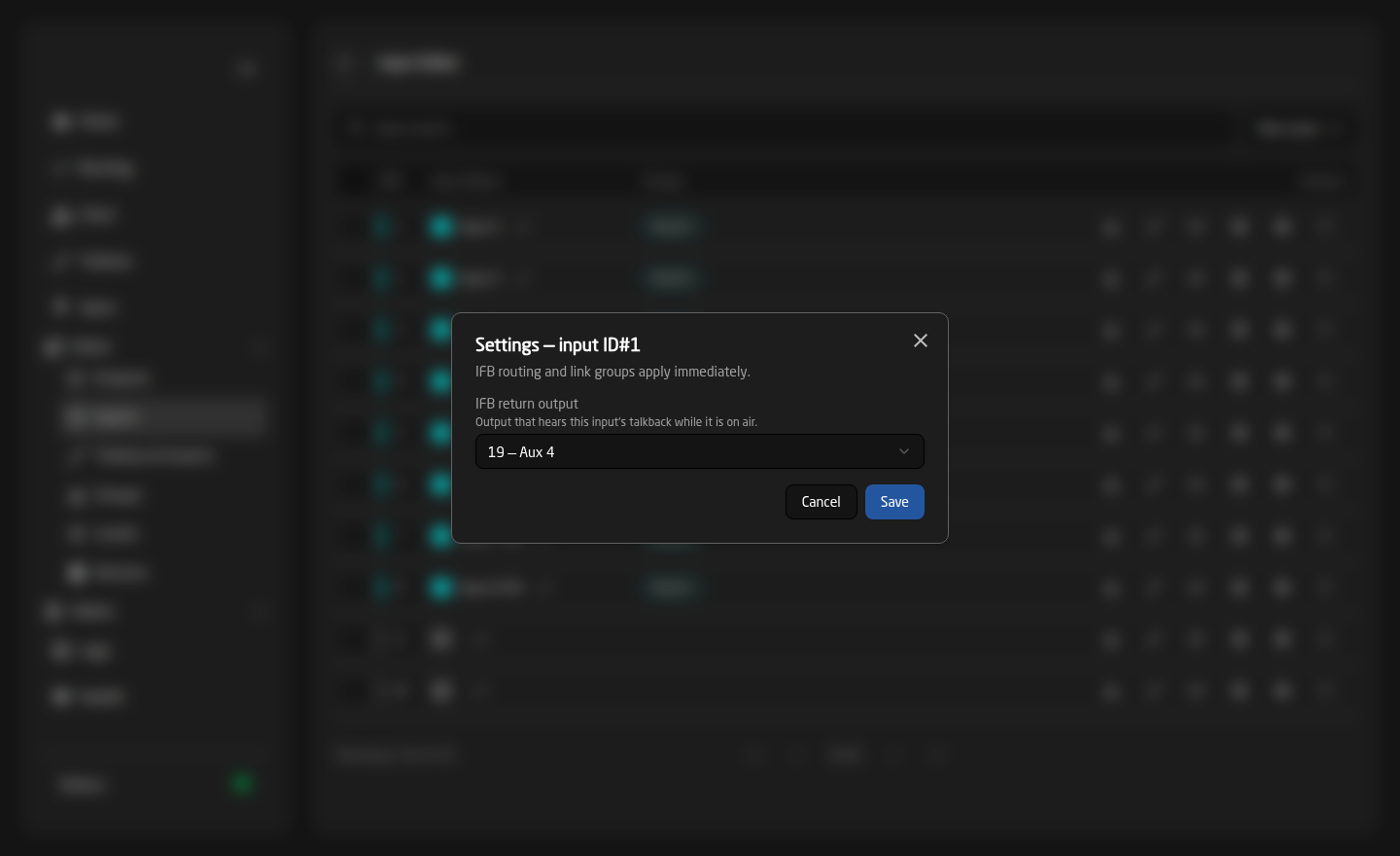
Pick the destination that carries this source’s return feed in IFB return output — “Output that hears this input’s talkback while it is on air.” Choose None to switch IFB off for that source.
On a destination
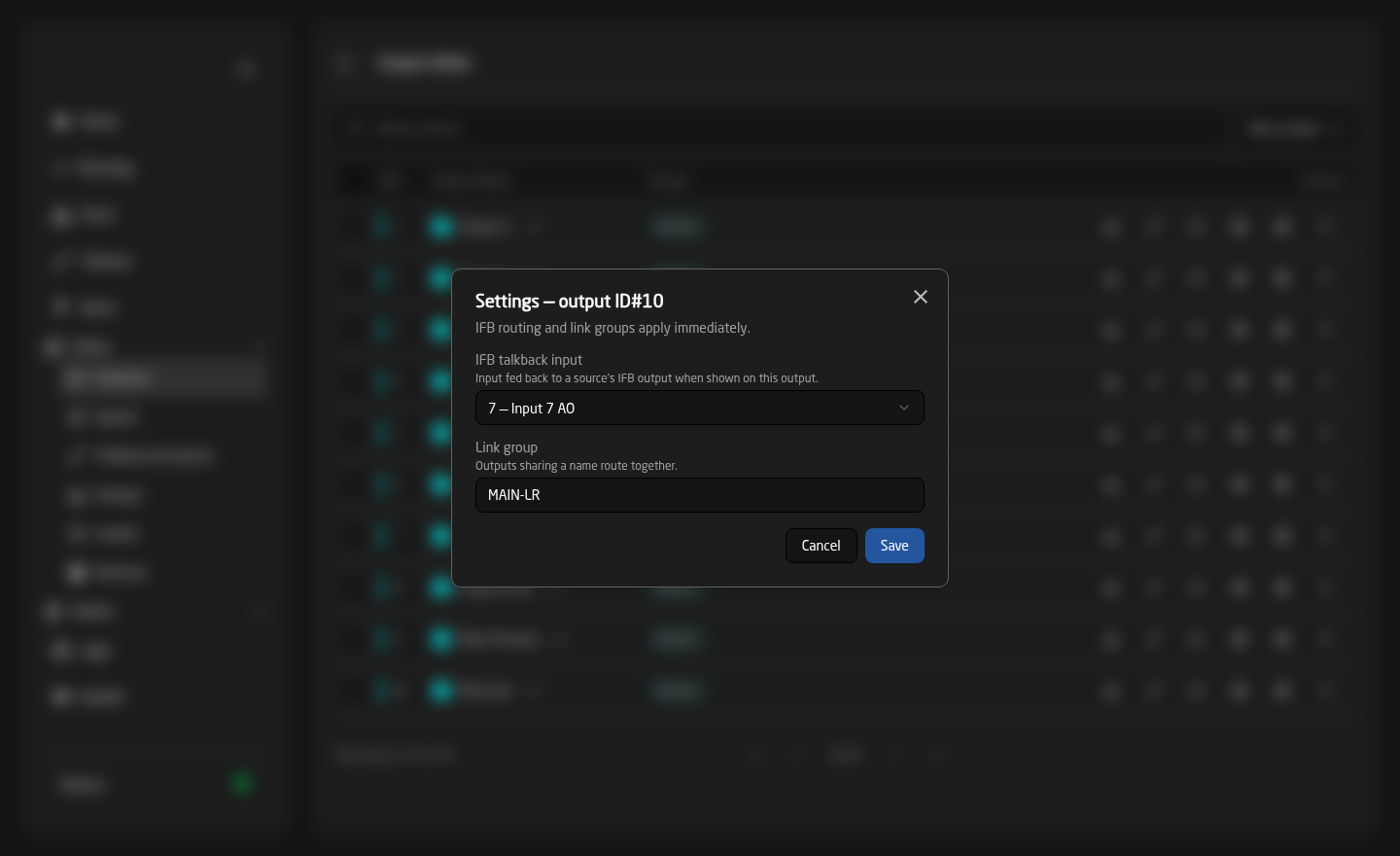
Pick the talkback circuit in IFB talkback input — “Input fed back to a source’s IFB output when shown on this output.”
These settings take effect immediately when you press Save. Unlike routing, label and tally edits, there is nothing to apply and no reload.
What to expect in practice
- Both halves must be set. If the source has no return output, or the destination has no talkback input, nothing happens — quietly and by design.
- It fires on a confirmed take, once the device has actually reported the new crosspoint — not the instant you press Take.
- It fires only when the source actually changes. Re-taking the same source on the same destination does not re-route the return.
- The return is routed on every level, so the whole return path moves as one.
- The last take wins. There is no stored IFB state: a return feed simply holds whatever was last sent to it until another qualifying take replaces it.
A protected return destination is skipped. If a source’s IFB return output is locked with the padlock on the Routing page, FlowGrid will not change it, and that source’s return silently stays where it was.
IFB returns are ordinary routes and use the plant like any other — including borrowing a cable between devices if the talkback and the return are on different boxes. If cross-device paths are tight, remember to count the returns.
Link groups
In the same dialog, a destination can be given a Link group — “Outputs sharing a name route together.” Type the same free-text name on two or more destinations and routing any one of them routes all of them.
The classic use is a stereo pair: give the left and right legs a link group such as MAIN-LR, and an operator picking a source on the left leg gets the right leg too, with no chance of leaving a mismatched pair on air.
The link only says “move together”. Each destination still uses its own physical mapping, so left stays on the left port and right on the right — the offset comes from how each destination is wired, not from the link.
Clear the field to take a destination out of its link group.
Doing this for many channels at once
Setting IFB one row at a time gets tedious on a large system. In the Outputs or Inputs editor, tick several rows to reveal the batch toolbar, choose a channel in Copy from, and in the Paste list tick IFB (and Link group on outputs) before pressing Paste selected.
Tick Increment numbers as well and the IFB target steps along with the rows — so a block of reporters each get their own return, rather than all sharing one. See The Editors.
Troubleshooting
- The return never moves — check both halves: the source needs an IFB return output and the destination needs an IFB talkback input. One alone does nothing.
- It works for some sources and not others — the ones that fail are missing their return output, or their return destination is protected.
- It stopped working after a re-take — expected. The return only re-routes when the destination’s source actually changes.
- A stereo pair split apart — the two destinations have different link group names, or one of them is blank. They must match exactly.
- An IFB mapping disappeared — deleting an input or output clears every IFB mapping that pointed at it.