
Logs, Health and Troubleshooting
Three places tell you what FlowGrid is doing and whether anything is wrong: the sidebar Status block, the Health page and the Logs page. This article covers all three, then works through the problems people actually hit.
The Status block
At the bottom of the sidebar, on every page. A green tick means every device in your configuration is reachable. Hover it for a device-by-device breakdown.
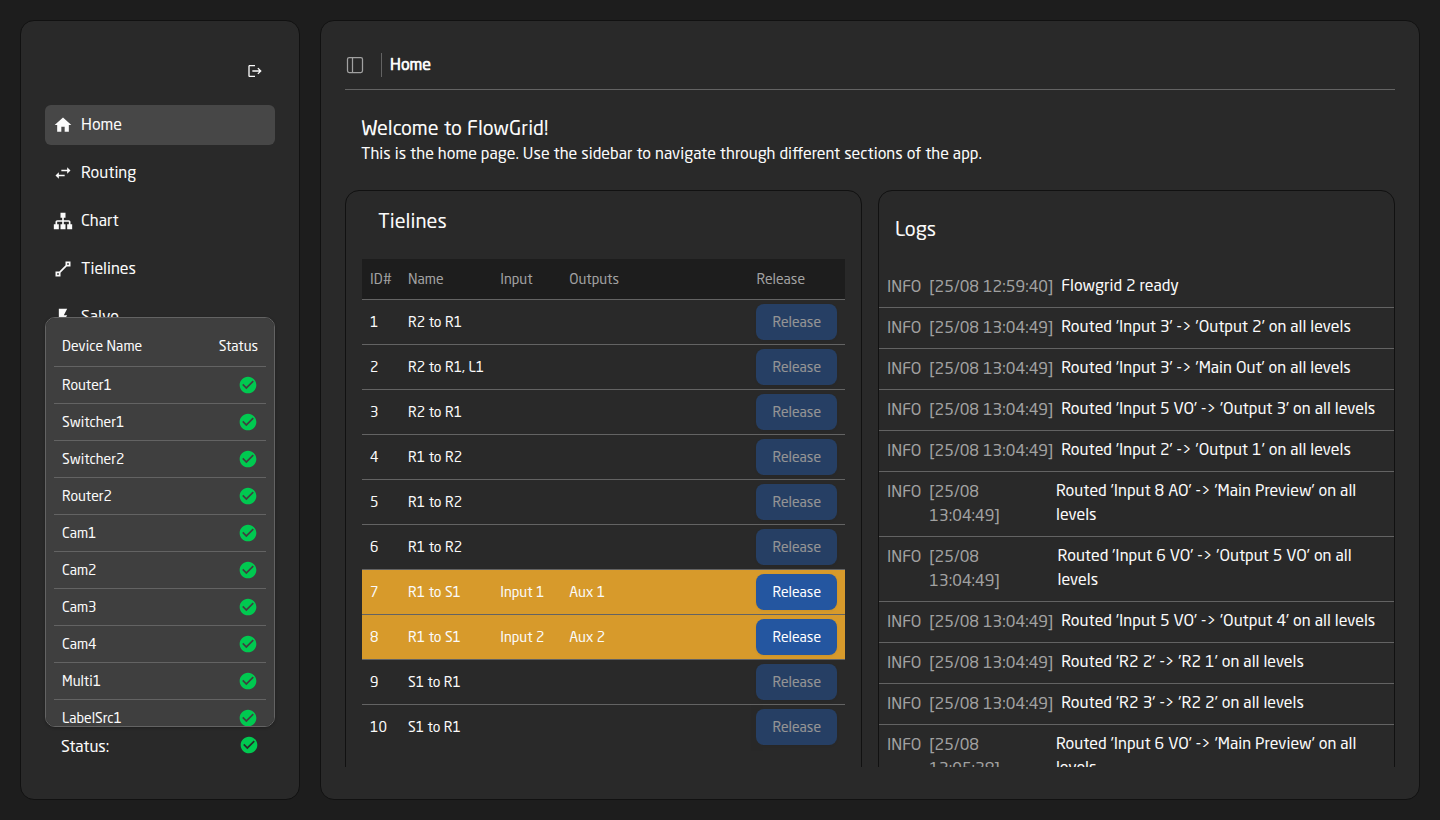
This is the first thing to look at when something does not respond. FlowGrid can only command equipment it can reach.
The Health page
The detailed view behind that block.
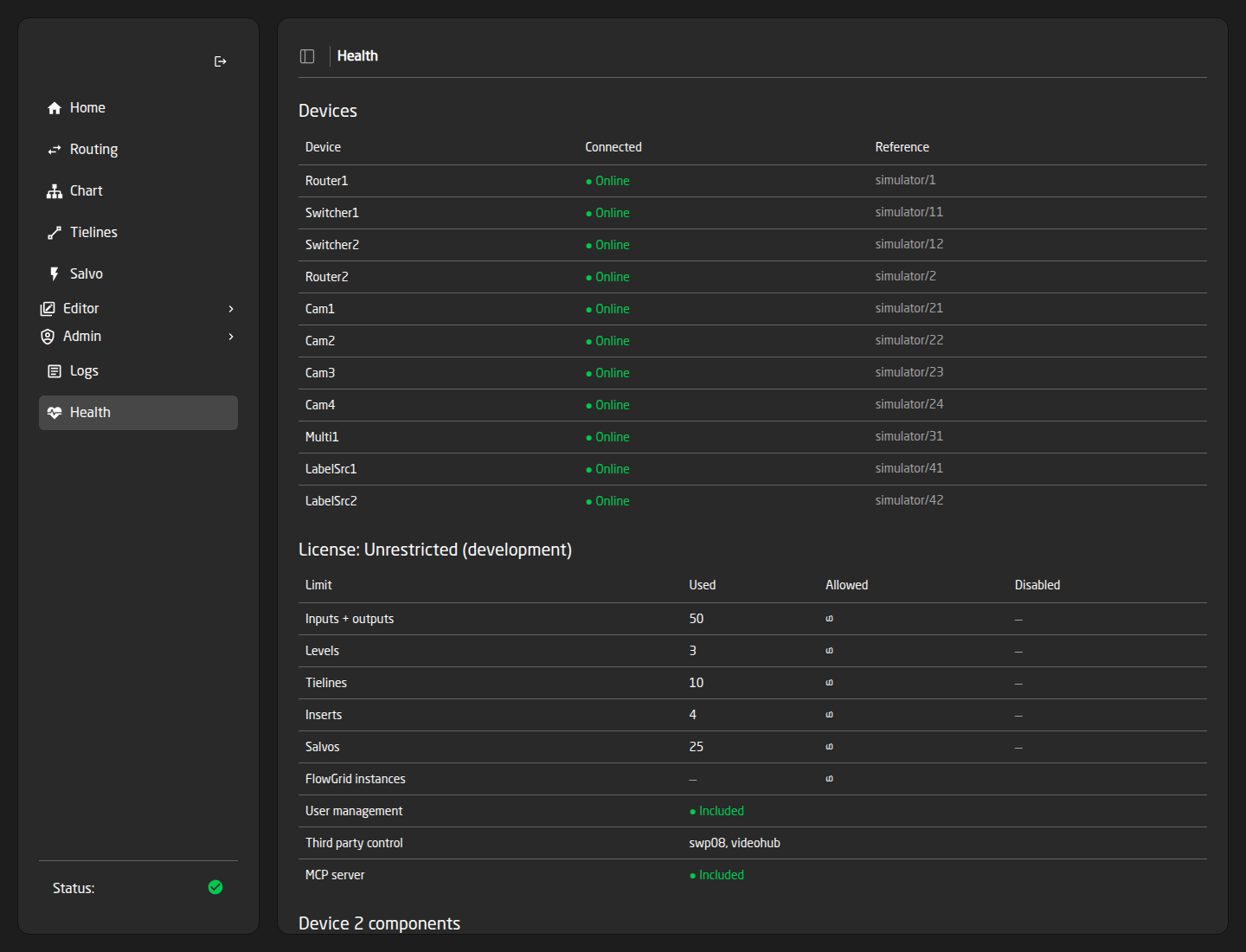
- Devices — every device, whether it is • Online or • Offline, and its reference.
- License — your tier and how much of it you are using. See License Tiers.
- Components — FlowGrid’s own internal parts, each • Running with a ‘Last seen’ time. Everything should say ‘just now’; a component stuck at ‘3m ago’ points at a part of the system that has stalled and is worth reporting.
The Health page follows the Status permission, not one of its own. If it is missing from someone’s sidebar, that is why.
The Logs page
A live stream of what FlowGrid is doing: every route, every salvo recall, every refused change, every error, as it happens.
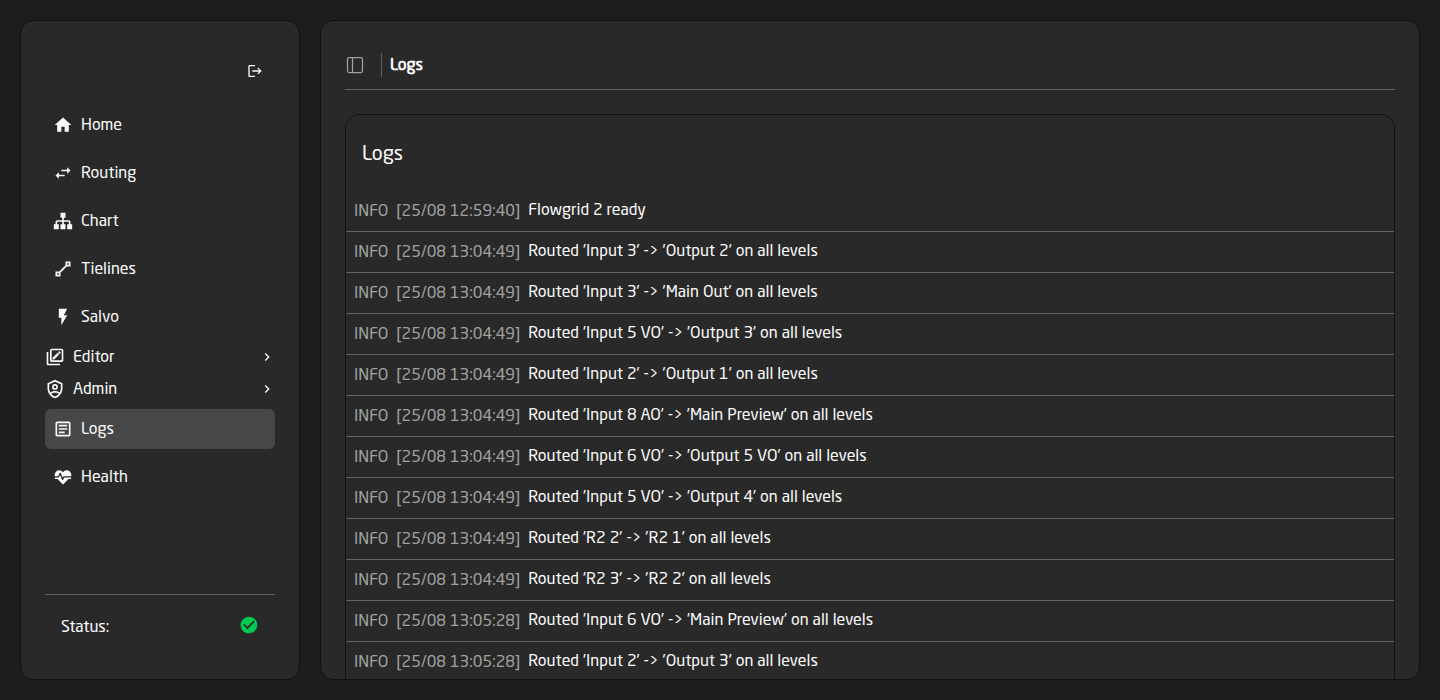
Recent entries are shown when you open the page, so you do not lose the context of something that just happened. Warnings and errors are colour-coded. The same panel is embedded on the Home page.
When a route does not do what you expected, open Logs and repeat it. The line that appears — or does not — usually answers the question outright.
The four routing refusals
When FlowGrid will not make a route, it says which of these it is. On a panel you see the short form.
- Out Locked — the destination is protected. Unlock it with the padlock in the Protect column on the Routing page. If a Videohub controller is in use, its lock does the same thing and can also be released there.
- No Rt free — source and destination are on different devices and every cable between them is busy. Free one on the Tielines page, add more, or use the Force option from a panel to take one over. See Tielines and Inserts.
- No Rt exists — there is no possible path at all. Either the level has no mapping on one side, or no chain of cables connects the two devices. A configuration problem: check the routing parameters in the Editors and the tieline definitions.
- Dev offline — the equipment is not reachable. Start with the Status block.
Symptom → cause
- A device shows Offline — its device core is not running or not reachable. Check the core is installed and running; the Health page shows exactly which ones are affected.
- Edits in the Editors never reach the equipment — routing, label and tally edits are staged and structural changes need a reload. Look for the bar or the amber banner at the top of the editor and press Apply & reload.
- Tally or labels do not update — the references point at a device that is offline, or the Active when value comparator does not match what the device really reports. See Tally and Dynamic Labels.
- A salvo does not recall fully — open it on the Salvo page and read the red legality panel; it names duplicate destinations, impossible routes and cable shortfalls. Note the check ignores which devices are offline right now.
- Sources or destinations have vanished from panels — either a reload is still pending after a structural edit, or they are switched off by the licence. The Disabled column on the License card tells you which.
- An IFB return never moves — both halves must be set, and a protected return destination is skipped. See IFB Returns and Link Groups.
- Pages are missing from the sidebar — a role permission is set to None. Health follows Status, and the whole Editor group follows one permission. See Users and Roles.
- The Wizard will not create the project — the Validation banner on the Review step lists what is blocking it, and names the step each problem belongs to.
- An external controller cannot connect — on a Free licence the third-party servers do not start at all. Otherwise check the port. See Controlling FlowGrid from Other Systems.
- A crosspoint changed and FlowGrid did not fight it — working as designed. FlowGrid adopts what a device reports rather than forcing its own idea back.
Before you report a problem
Have these ready and the answer usually comes back first time:
- What you did, what you expected, what happened instead.
- A screenshot of the Health page — it carries the device states, your licence tier and the component list in one image.
- The Logs lines from the moment it happened.
- A download of the project from the Projects page, if the configuration is relevant.