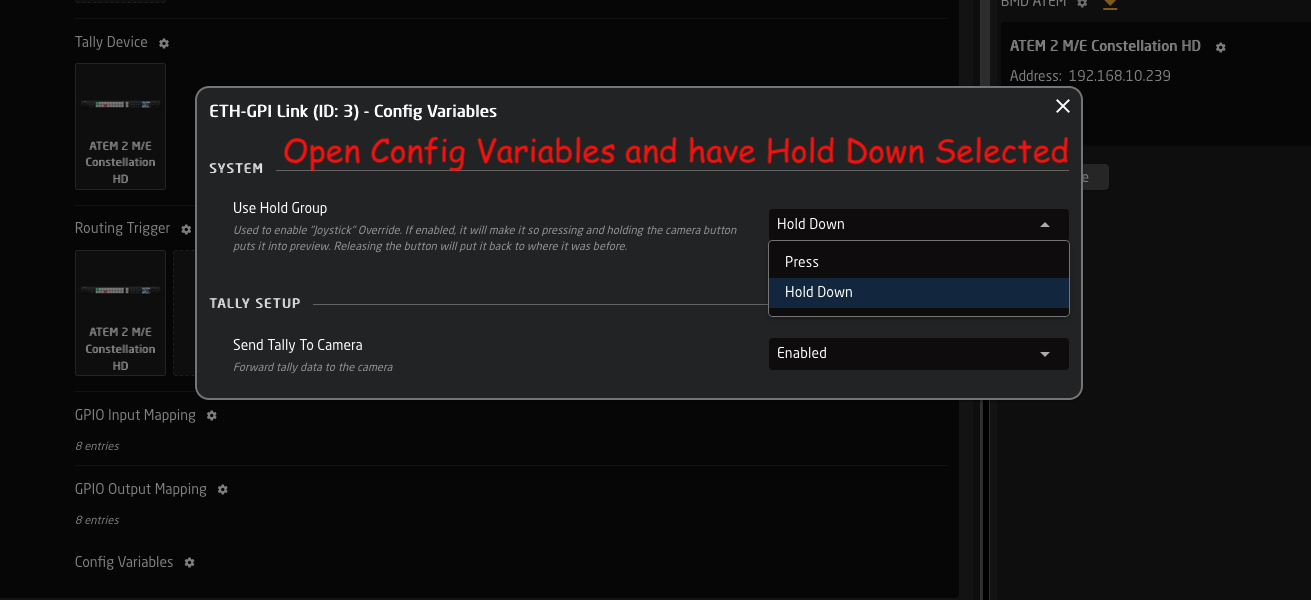
Joystick Override / Hold Group guide
This is a guide on how to handle 'Joystick override' and 'Hold groups' for CCU operators - allowing automatic routing of cameras to a confidence monitor.
Imagine these operator steps:
- CCU 1 presses the joystick :: Route cam 1 to monitor
- CCU 4 presses the joystick :: Route cam 4 to monitor
- CCU 2 presses the joystick :: Route cam 2 to monitor
... - CCU 4 lets go of the joystick :: (nothing happens)
- CCU 2 lets go of the joystick :: Return to route cam 1 to monitor
- CCU 1 lets go of the joystick :: Return to original input for monitor
You can of course have more CCU's - and the order of who does what when is remembered by the system.
Prerequisite
This setup requires a 4 things:
- Blue Pill device --> Is the brain, running the config and controlling both ETH-GPI Link and video switcher/router
For example 'Blue Pill Server' : https://www.skaarhoj.com/product/blue-pill-server - ETH-GPI Link --> Handles the GP inputs from the CCU's
https://www.skaarhoj.com/product/eth-gpi-link - A number of CCU's with GP output for joystick press
- A video switcher/router (for example; Aja Kumo, ATEM, Tricaster, vMix etc.)
NOTE: The Blue Pill device must have Reactor 2.2.3-pre10 or later installed. This is handled on the 'Packages' page.
NOTE: The ETH-GPI Link must be in 'Blue Pill Mode', which means it's controlled by a Blue Pill device.
Configuration
- Goto IP address of Blue Pill device to see Reactor, the configuration manager.
- Click 'Add panel' and select your ETH-GPI Link
- Click 'Add device' and select your routing device
- In the ETH-GPI Link configuration drop-down menu, select default configuration 'Tally & Routing'
- Click 'Camera Selector' to open settings -> Add empty rows (by holding Shift) -> Set route index [1, 2, 3..]
(these are the camera inputs on the switcher/router) - Click 'Routing Trigger' to open settings -> Select the output to route to
- Click 'GPIO Input mapping' to open settings -> Change type from ‘Tally Program’ to ‘Route Index’
- Click 'Config Variables' to open settings -> Select 'Press' or ‘Hold down’
Advanced step to share stack between multiple [Blue Pill Inside] RCP panels in the same configuration:
- Goto Configuration page -> click '>>' in window left/top top show Layer Tree
- Find variable: HoldGroupState -> right-click it and copy it
- Scroll down to lowest Root layer -> right-click it and paste variable here (variables here are shared by all panels)
Screenshots
Same as config steps above
2: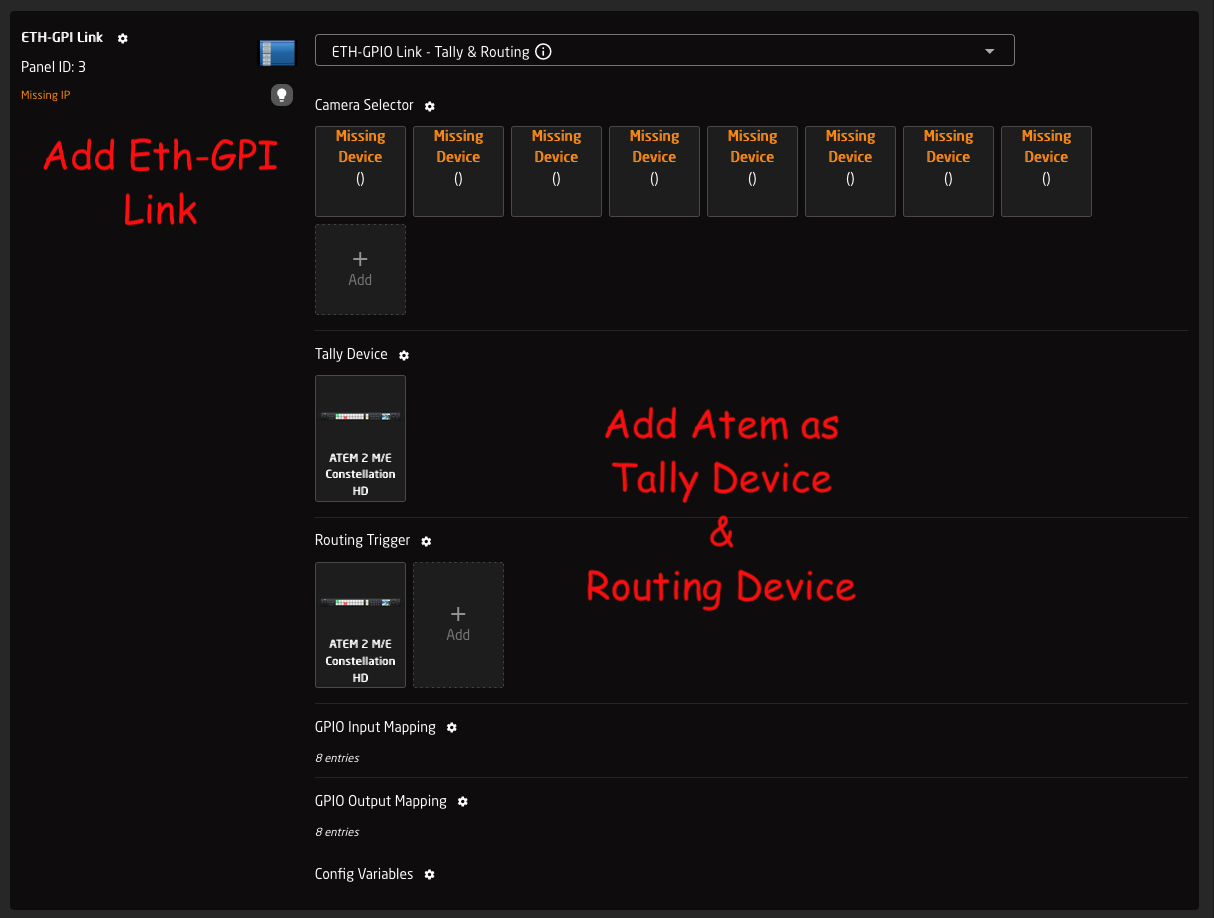
5: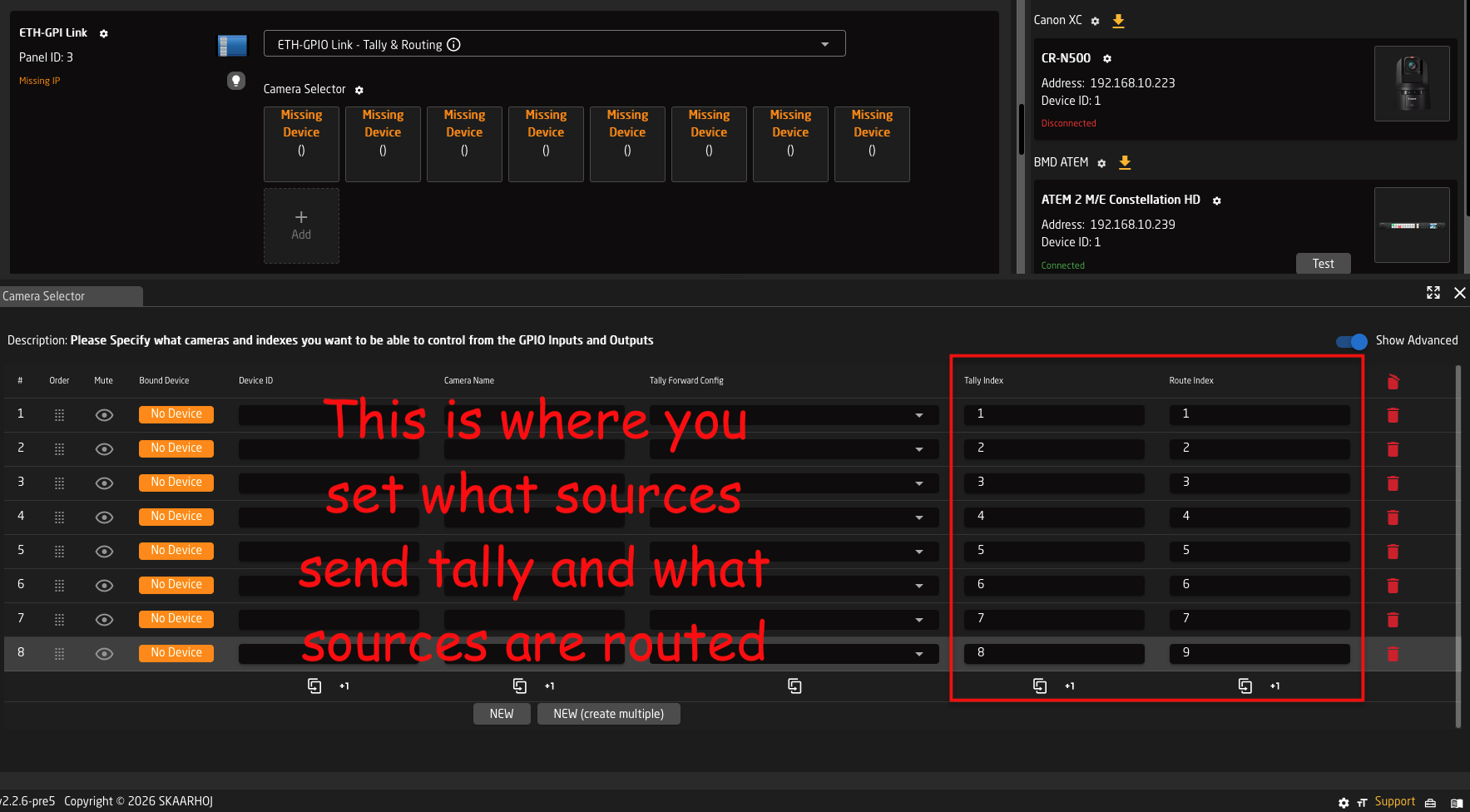
6: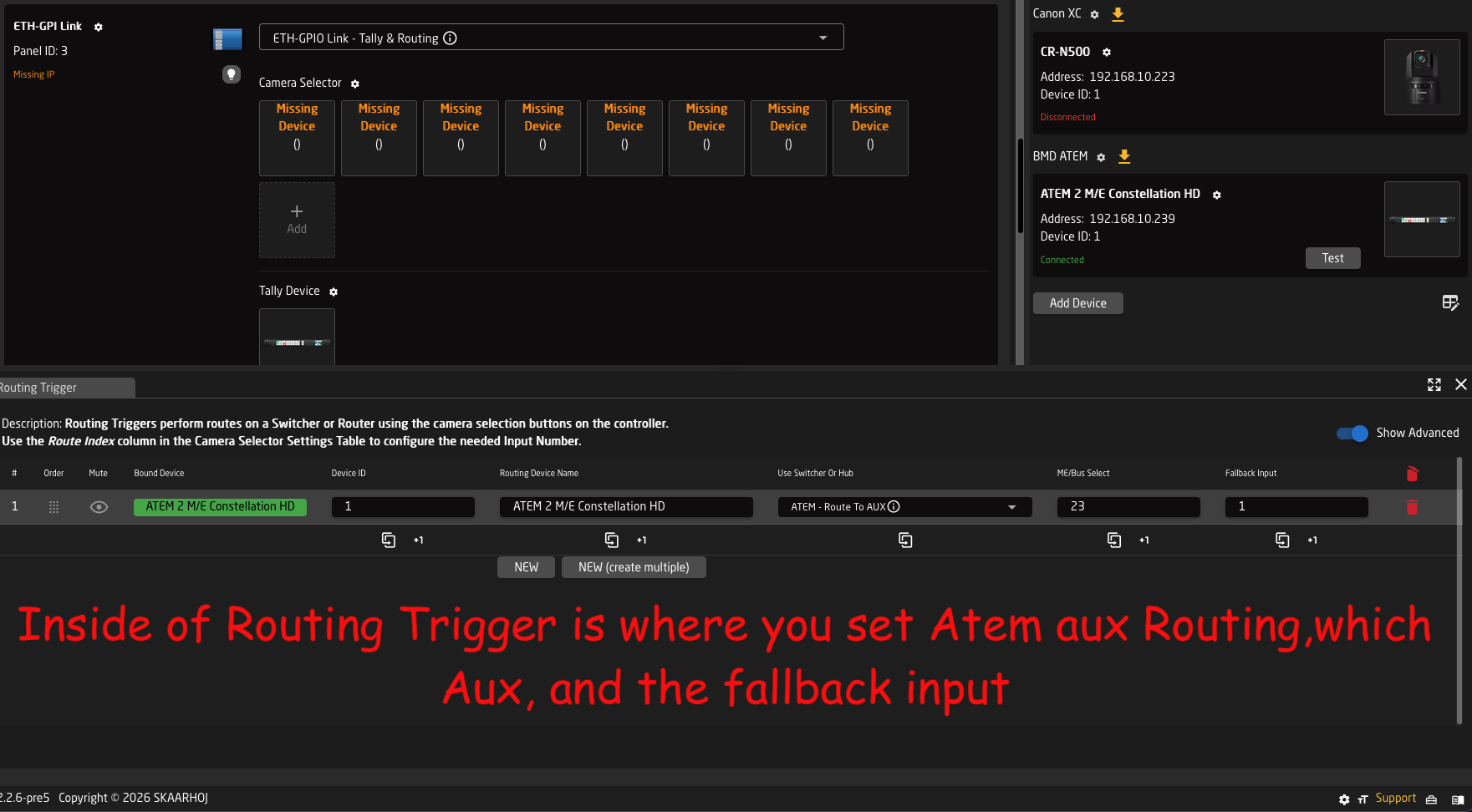
7: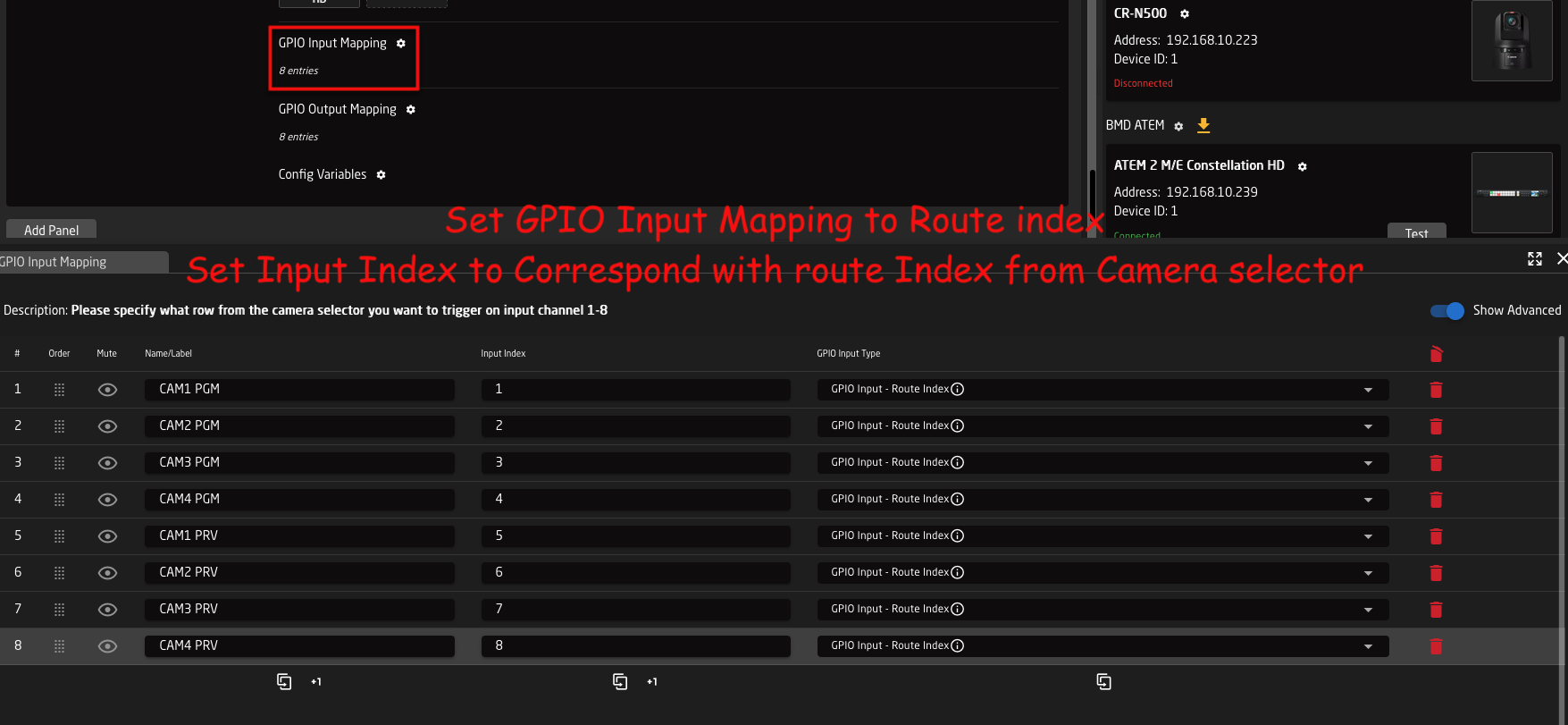
8: